Holidays and closures
Closures block out days when the whole business is shut — bank holidays, training days, the Christmas break. Nothing can be booked on a closed day, by you or by a customer online.
A closure blocks out time when the whole business is shut — bank holidays, the Christmas break, a training afternoon. Customers can't book online during a closure, and it's blocked off on your calendar.
Booking time off for yourself? That's not a closure — the business stays open. Use My Account to request leave, and Settings → Staff Holidays to approve it.
1. Open your closures
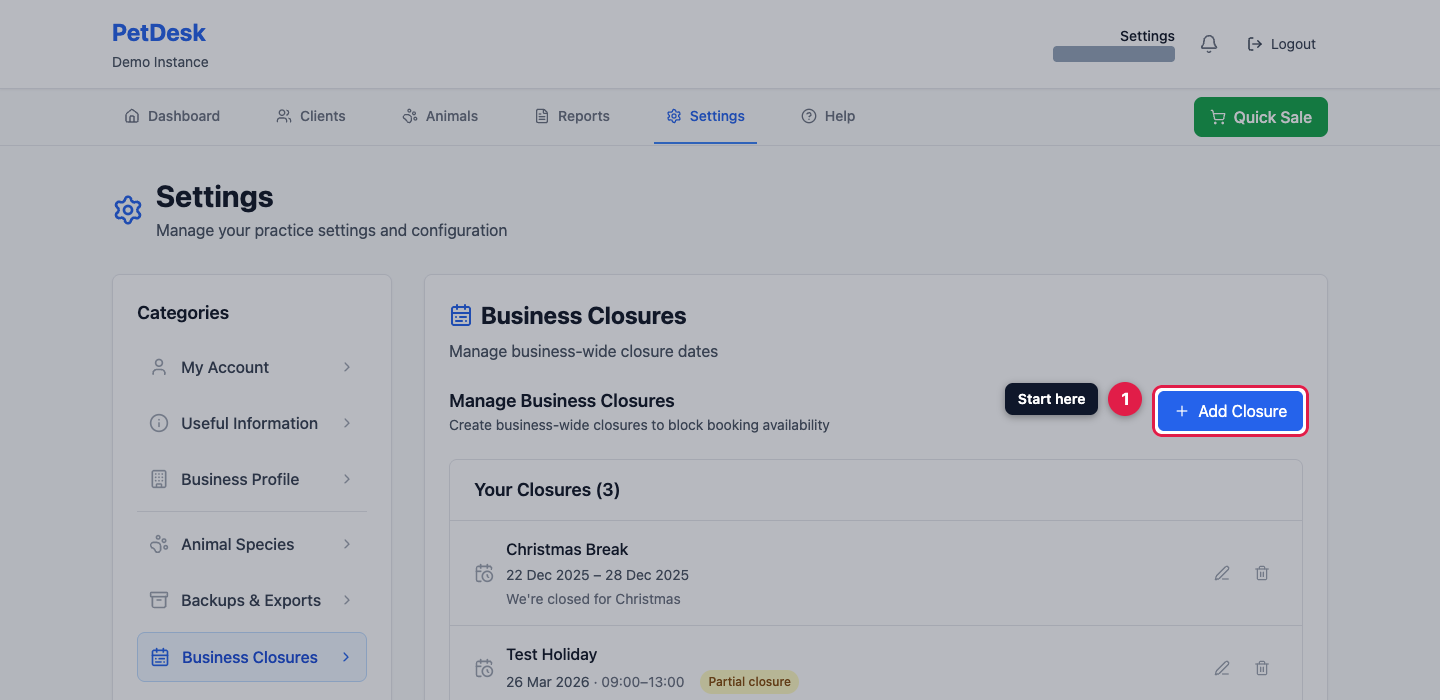
Go to Settings and choose Business Closures, then click Add Closure.
2. Name it
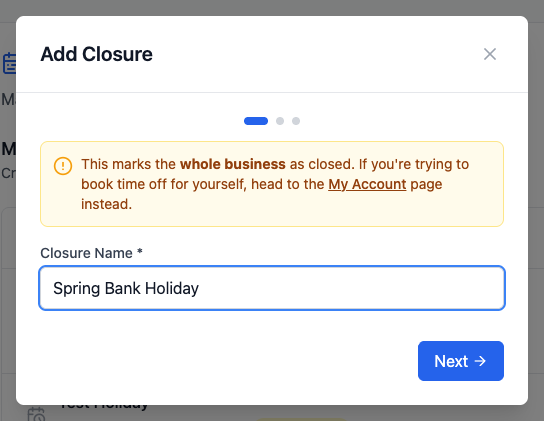
Give the closure a name your team will recognise on the calendar.
3. One-off or recurring?
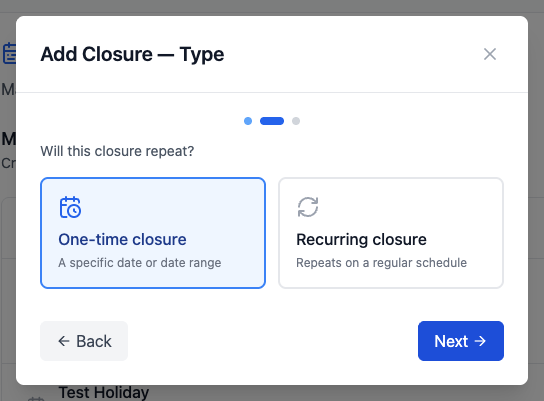
Choose One-time closure for a specific date or range. Choose Recurring closure for something that comes round on a regular schedule, so you only set it up once.
4. Set the dates
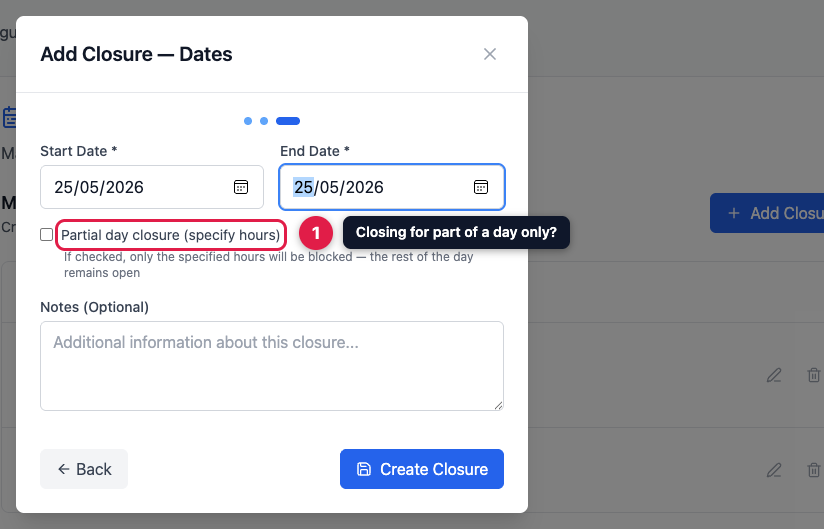
Pick a start and end date — use the same date for both if you're closing for a single day. Tick Partial day closure if you're only shut for part of it, such as a morning's training; the rest of the day stays bookable.
5. Done
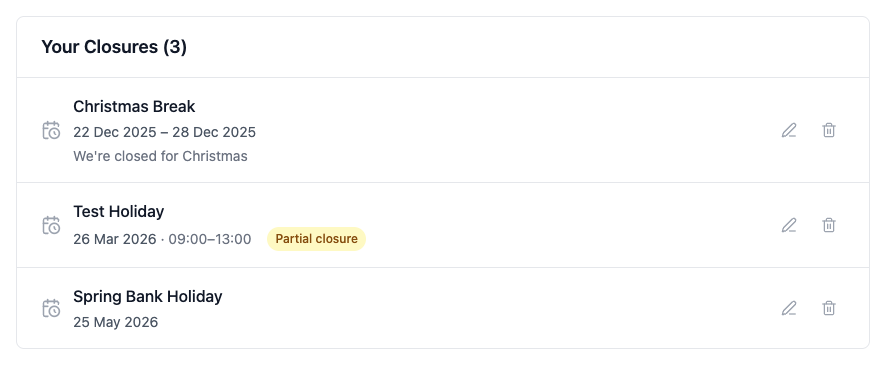
The closure appears in your list, with partial ones showing the hours affected. Use the pencil to change one, or the bin to remove it.