
Roles and what each one can see
Every staff login has a role. Admin can do everything including settings and billing; Staff covers day-to-day bookings, customers and animals but not reports or settings; Accountant sees transactions and reports but not customer details. Change a role with the pencil icon in Staff Management. When someone leaves, set them to not active rather than deleting them.
Every staff login has a role, and the role decides what that person can see. You set it when you add someone and can change it at any time from Settings then Staff Management.
The three roles
| Role | What they can do |
|---|---|
| Admin | Everything. Bookings, customers, settings, reports and billing. Give this to owners and managers — and to nobody else, because it includes the settings that change how the whole business runs. |
| Staff | Almost everything day to day — bookings, customers and animals — but no access to reports and no Settings tab. The right choice for most of your team. |
| Accountant | A cut-down financial login. They see transactions and reports, not your customers' details. Ideal for an external or dedicated accountant who needs the numbers and nothing else. |
Seeing who has what
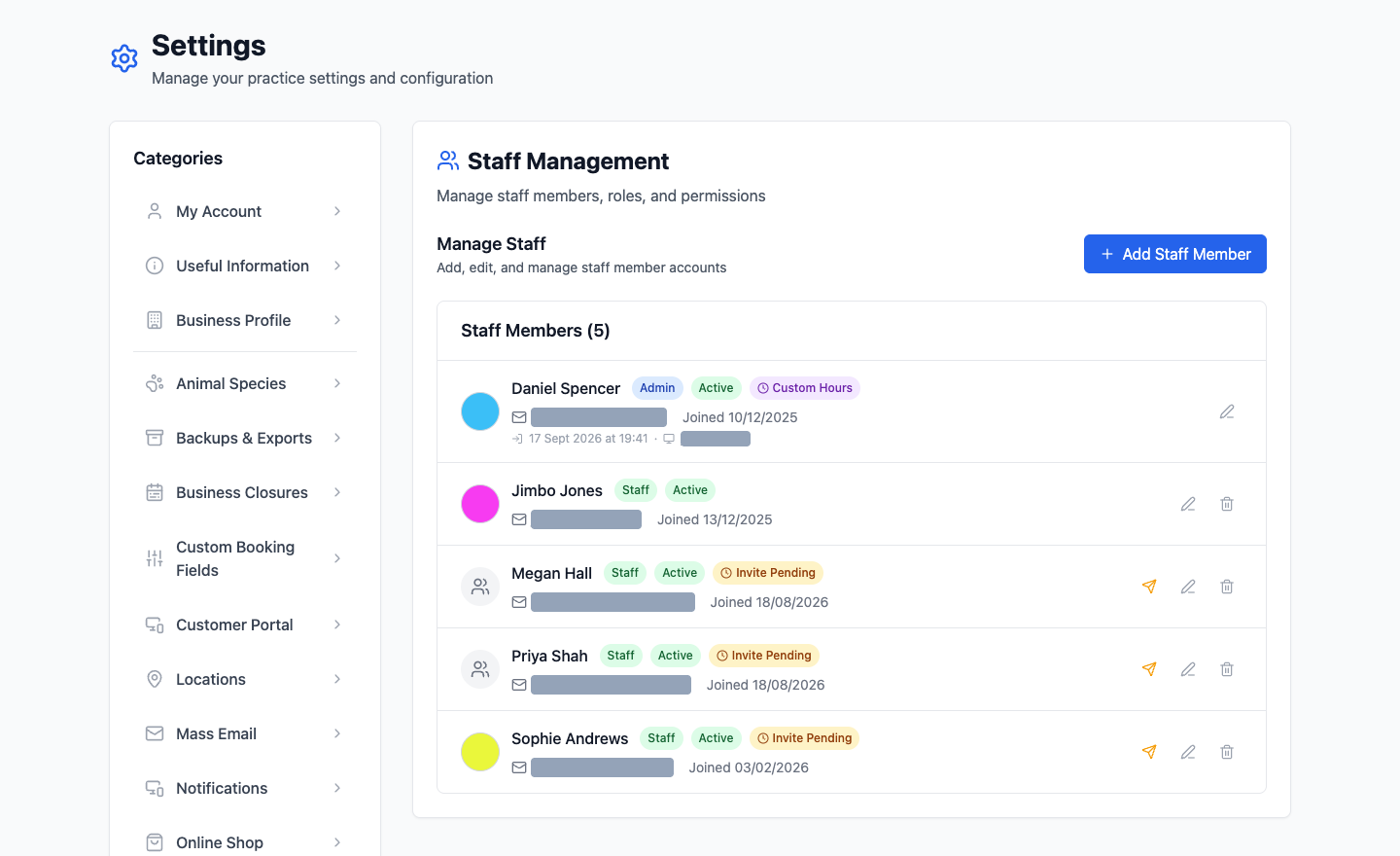
The staff list shows each person's role as a badge next to their name, along with whether they're active, whether they're still to accept their invitation, and whether they have custom working hours.
Changing someone's role
Click the pencil icon on their row and pick a different one. It takes effect immediately — if they're logged in, what they can see changes the next time they move around the app.
If you're unsure, start someone as Staff. Moving them up later takes five seconds, and it's a far better position to be in than discovering a new starter has been browsing your revenue figures.
The colour next to each name
That's how their appointments appear in the diary, not a permission. Pick colours that are genuinely distinguishable — a shared diary is far quicker to read when nobody has to squint at two similar blues.
When someone leaves
Set them to not active rather than deleting them. They can no longer log in, but every appointment they ever did stays attached to their name, so your history and your reports still make sense. Deleting is for an account created by mistake.