Tracking vet consent
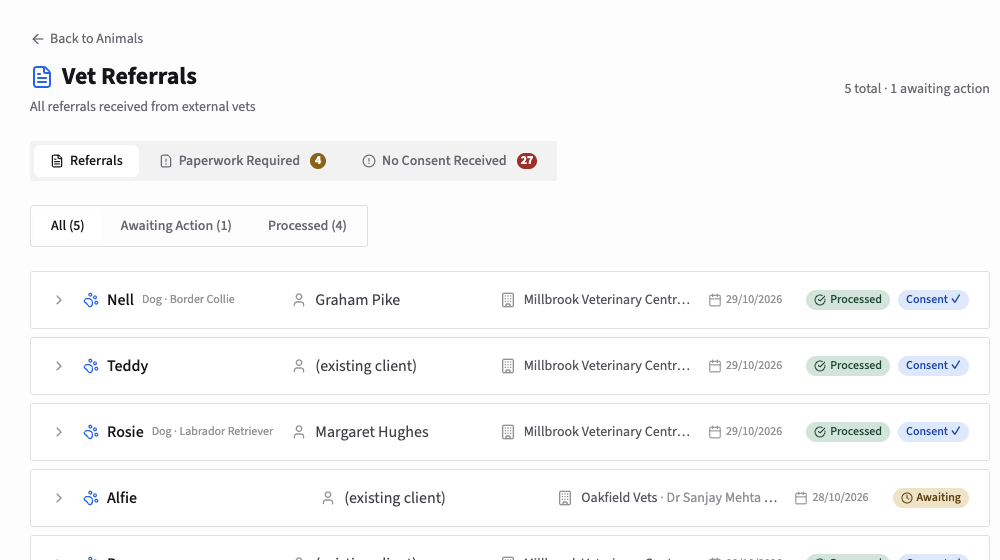
Each animal's record shows its Vet Consent Status, and its bookings warn you while consent is missing. Consent a vet sends through the portal appears under Pending Vet Referrals on the Dashboard: open it and click Mark Consent Received. For paper consent, Generate Referral Form downloads a form for the vet; when it comes back signed, upload it and click the green tick. Animals, then Vet Referrals lists what is outstanding.
With the vet portal on, every animal's record shows whether you have its vet's consent for treatment. Consent arrives in one of two ways: the vet gives it online through the portal and you accept it, or you receive a signed paper form and mark it received yourself.
Where you see consent is missing
On the animal's record, Vet Consent Status says "Vet consent has not been received" until you have it.

Each of the animal's bookings shows a red Vet Consent Required warning at the top, with a link to the animal's record. It's a reminder only: you can still take and complete the booking.

When a vet gives consent through the portal
The vet's consent appears on your Dashboard under Pending Vet Referrals, labelled Consent. Click View Details to read it. It shows the referring practice and vet, the animal, the diagnosis and current treatment, the treatments the vet authorised, any notes, and when and from where the vet signed the declaration.
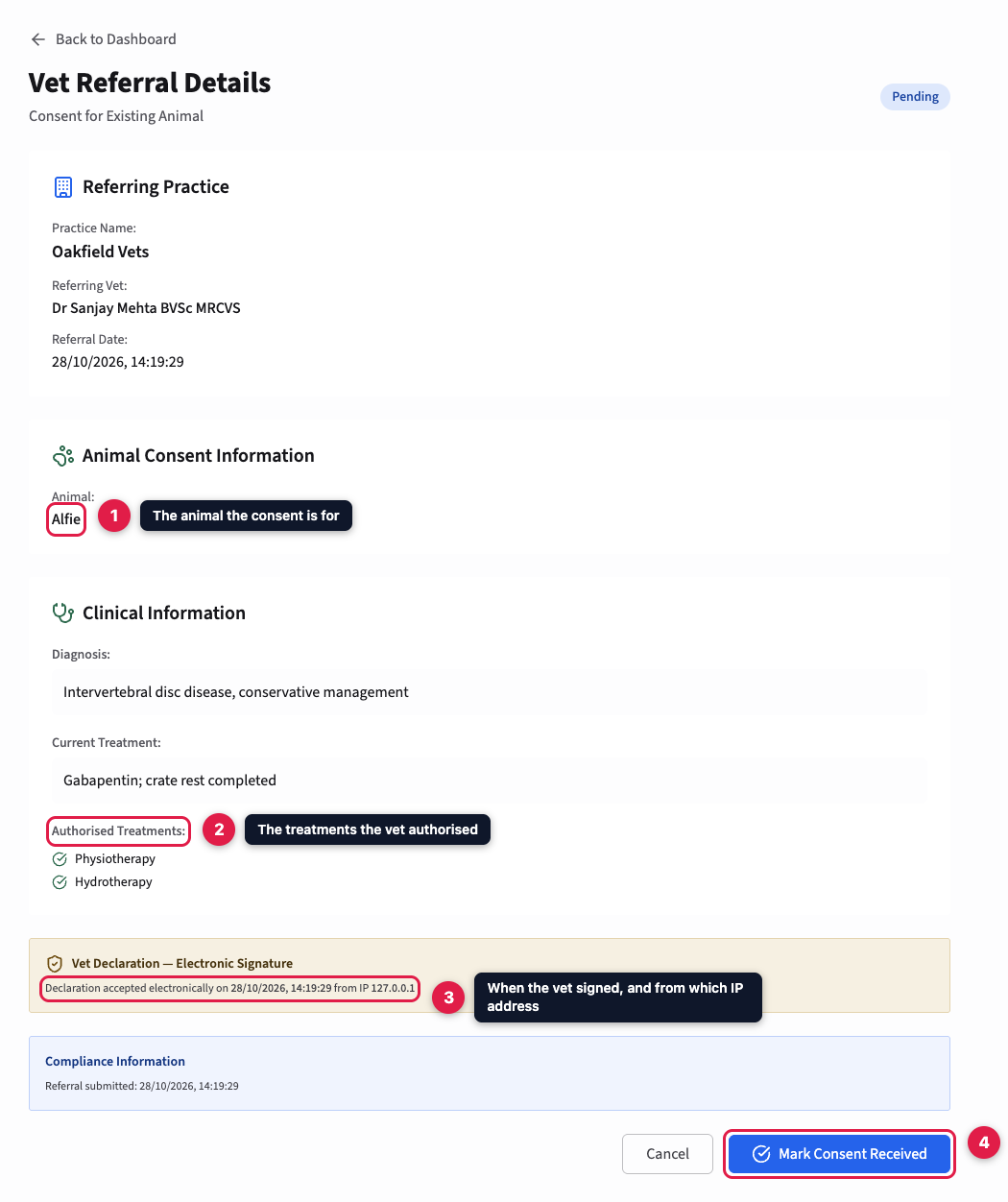
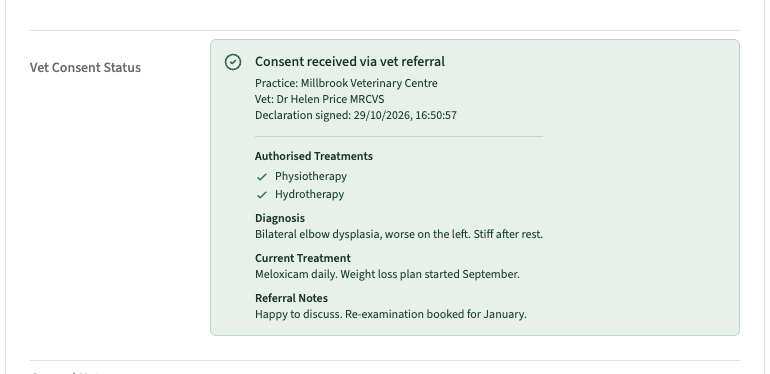
If it's in order, click Mark Consent Received. The referral is marked processed and the animal is marked as having consent. Its record then shows "Consent received via vet referral", with the vet's details, the authorised treatments and the clinical notes, so you have everything in one place when you treat.
When consent comes on paper
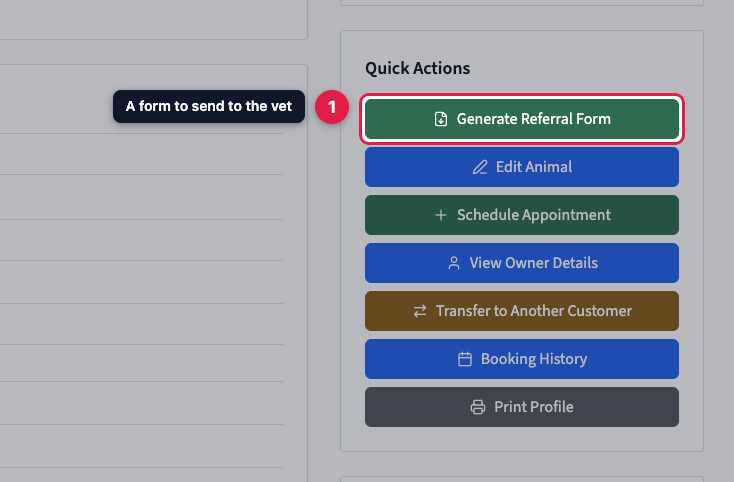
Not every vet uses the portal. Under Quick Actions on the animal's record, Generate Referral Form downloads a PDF referral form, with your treatments and declaration, for the vet to sign. Owners can download the same form from the customer portal to take to their vet.
When the signed form comes back, upload it under Files & Documents on the animal's record. Then click the green tick in Vet Consent Status to mark consent received. If you marked it by mistake, the cross next to it undoes it. Consent that came through the portal can't be undone this way, because it's backed by the vet's own submission.
Checking consent across all your animals
Go to Animals and click Vet Referrals.
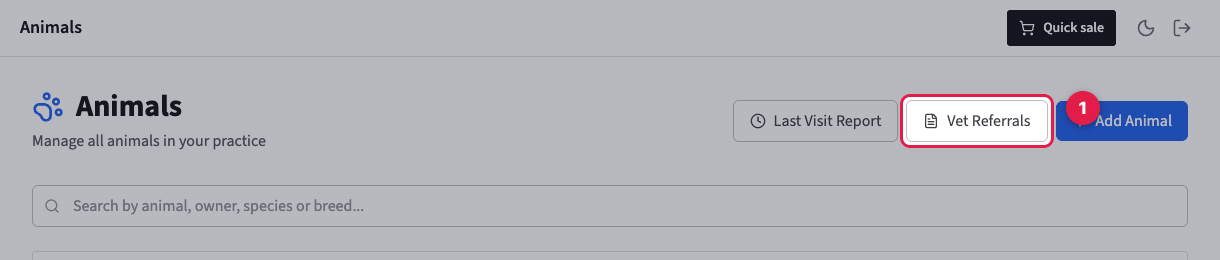
The page has three tabs:
- Referrals lists everything vets have sent, consents and new clients, filtered to all, those awaiting action, or those processed. Click one to expand it.
- Paperwork Required lists animals marked as having consent by hand, with no portal submission behind them. Check you have the signed form on file for each.
- No Consent Received lists your active animals that don't have consent yet.