
For vets: giving consent for treatment
For vet practices: open the animal and click Grant Consent, enter your name, add the diagnosis and current treatment, tick the treatments you authorise, then tick the Vet Declaration and click Submit Consent Referral. Your tick is an electronic signature, recorded with date, time and IP address. The animal shows Consent submitted until the business accepts it, then Consent given; contact the business to change or withdraw it.
This guide is for vet practices. In the UK, a physiotherapist, hydrotherapist or veterinary nurse needs the vet's consent before treating an animal, under the Veterinary Surgeons Act 1966. The vet portal lets you give that consent online, for an animal the business has already registered with your practice. It replaces the paper referral form.
1. Start from the animal
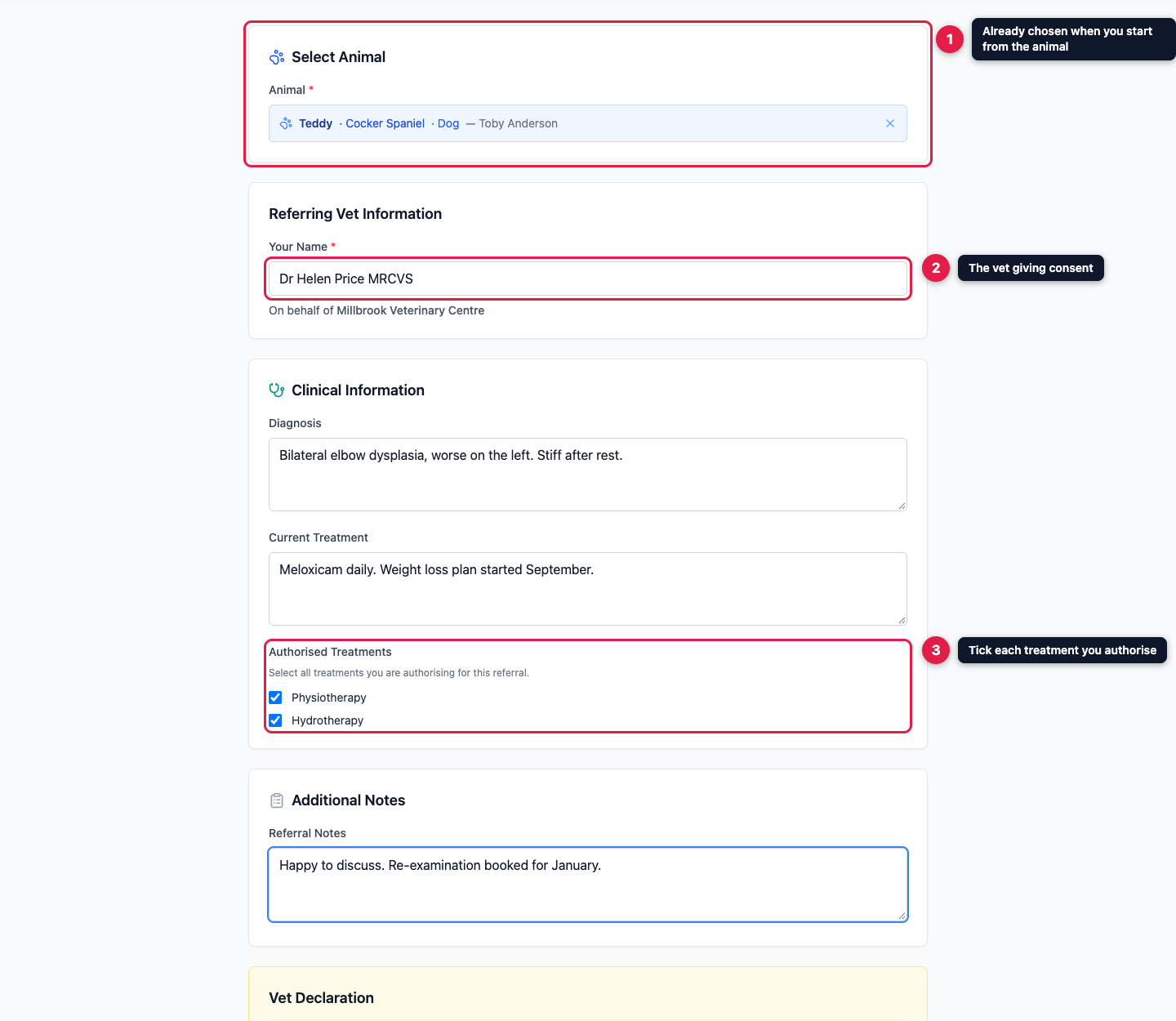
Open the animal's record from your dashboard and click Grant Consent in the yellow banner. The animal is then filled in for you. You can also click Grant Consent at the top of the dashboard and search for the animal by name, owner, breed or species.

If consent has already been accepted, or you've already sent it and it's waiting for the business, the form tells you so and won't let you send it twice.
2. Fill in the form
- Your Name is required: the vet giving consent, for example "Dr Jane Smith MRCVS". It's recorded on behalf of your practice.
- Diagnosis and Current Treatment are optional, but they help the business plan treatment.
- Authorised Treatments lists the treatments the business offers. Tick each one you're authorising. Any small print the business has added appears underneath.
- Referral Notes is for anything else the business should know.
3. Agree to the declaration and send
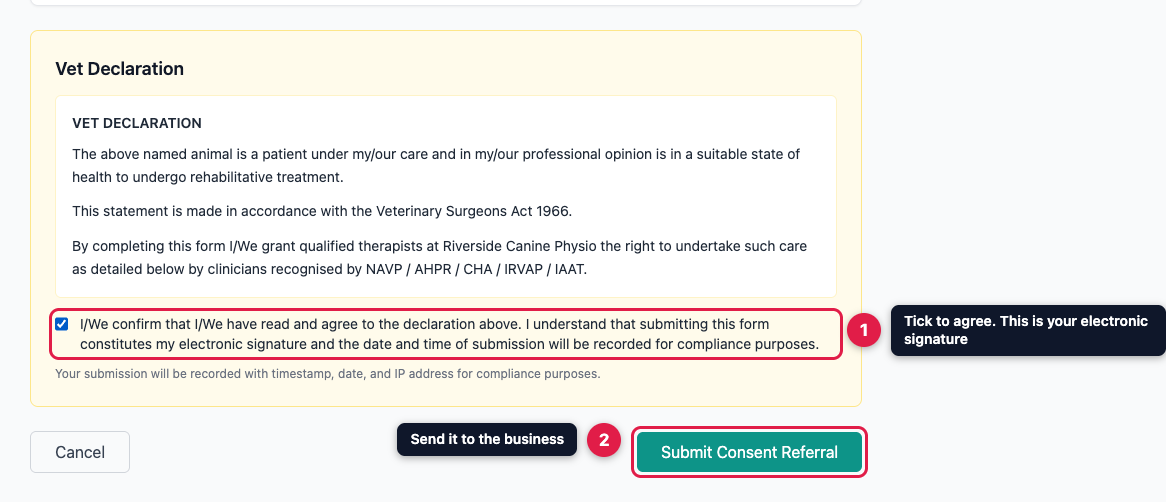
Read the Vet Declaration. The business sets its wording; usually it confirms that the animal is under your care and fit for the treatment. Tick the box to agree. Ticking it is your electronic signature, and the date, time and your IP address are recorded with the consent. Then click Submit Consent Referral.
4. What happens next
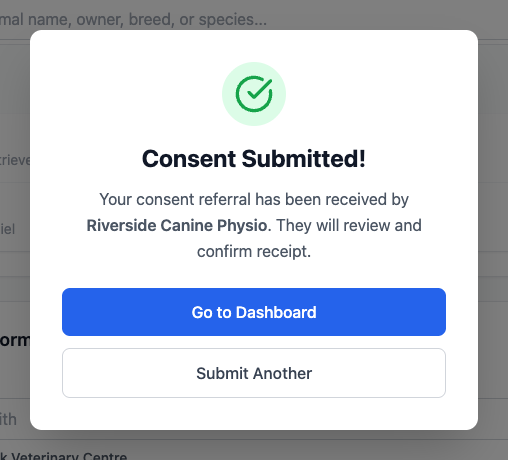
"Consent Submitted!" confirms the business has it. It appears on the business's dashboard straight away. Until the business accepts it, the animal shows Consent submitted; after that, Consent given.
You can't edit consent once it's sent. If something needs correcting, or you want to withdraw consent, contact the business directly.