
For vets: referring a new client
For vet practices: click New Referral, enter your name, the owner's name and phone number, and the animal's name and species, plus anything else you know; add your clinical notes and authorised treatments, tick the declaration and click Submit Referral. The business contacts the owner to arrange treatment. Once it accepts the referral, the animal appears on your dashboard with consent already given.
This guide is for vet practices. If you'd like a business you work with to treat an animal it hasn't seen before, refer it through the vet portal. You give the owner's and animal's details, and your consent, in one form. The business then contacts the owner to arrange the first appointment.
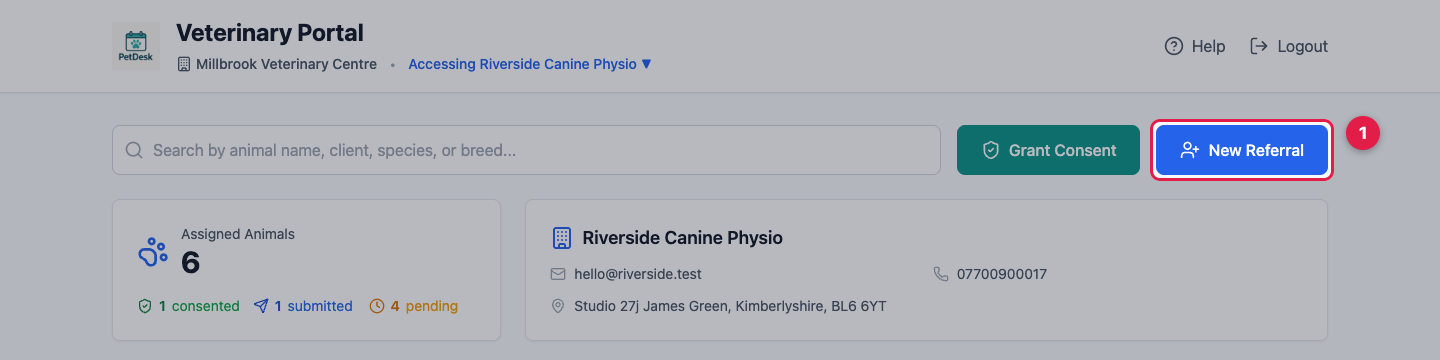
1. Start a referral
Log in and, if you work with several businesses, choose the one you're referring to. Then click New Referral at the top of the dashboard.
2. The owner and the animal
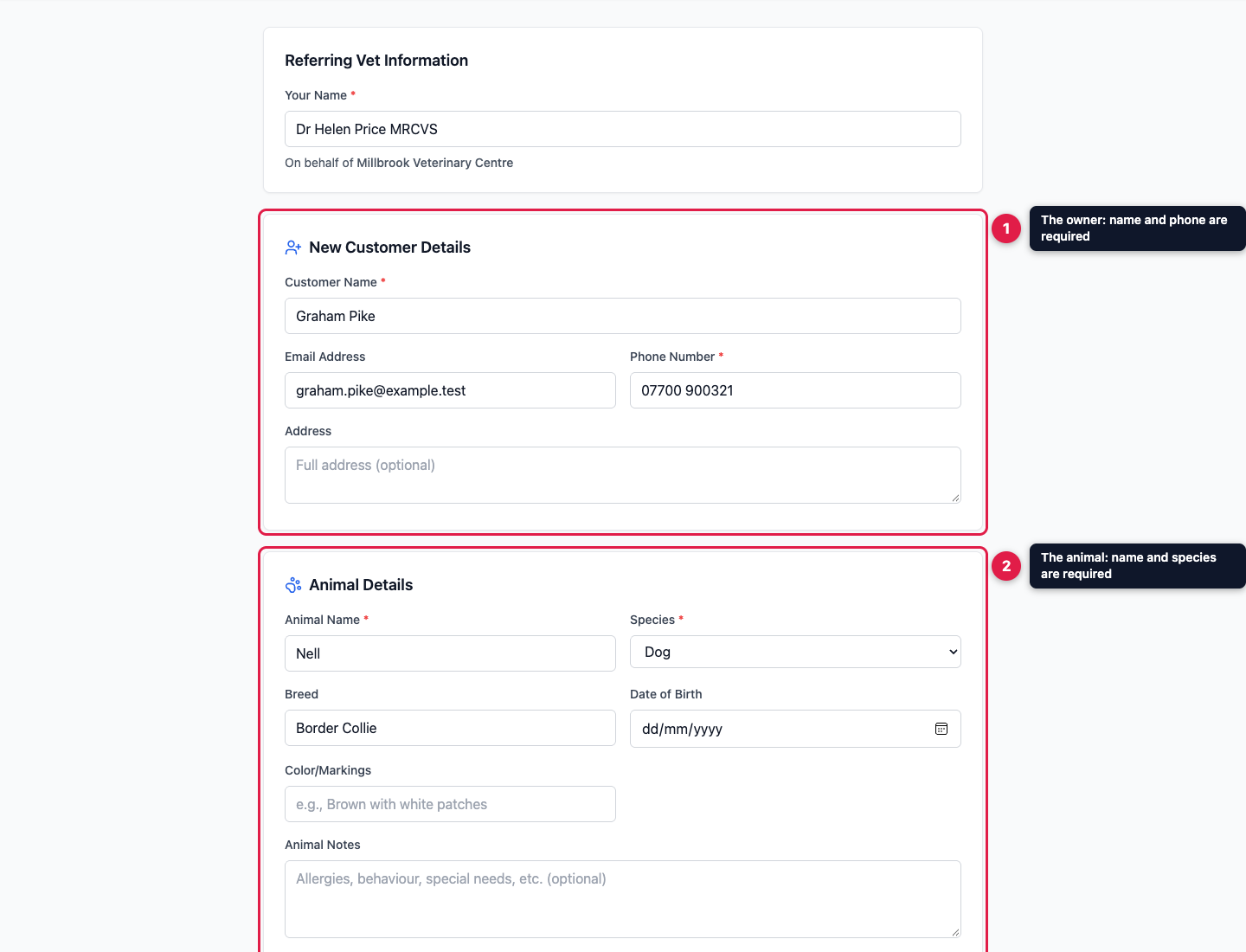
Enter Your Name, as the referring vet. Under New Customer Details, the owner's name and phone number are required, because the business will ring them. Add an email address and a postal address if you have them.
Under Animal Details, the animal's name and species are required. Breed, date of birth, colour or markings, and notes on allergies, behaviour or special needs are all optional.
3. Clinical information and consent
The rest of the form is the same as when you give consent for an animal the business already knows. Add a Diagnosis and Current Treatment, tick the Authorised Treatments, and add any Referral Notes. Then read the Vet Declaration and tick to agree. That tick is your electronic signature, recorded with the date, time and your IP address. Click Submit Referral.
4. What happens next
"Referral Submitted!" confirms the business has it, on its dashboard. Click Submit Another Referral to refer someone else. The business contacts the owner to arrange treatment, so let the owner know to expect a call.
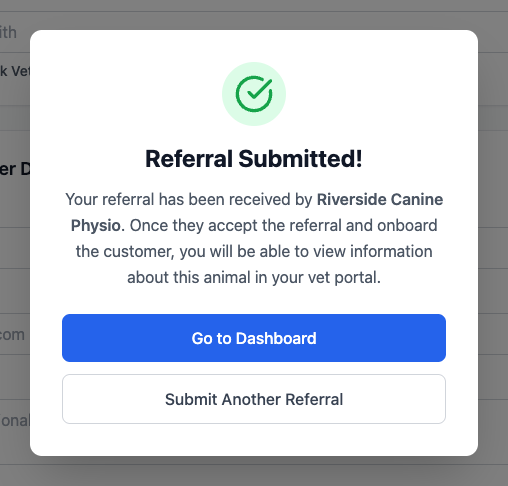
Once the business accepts the referral, the animal appears on your dashboard with consent already given, because your referral included it. Until then, it isn't on your list.