
Raising a support ticket
If something is wrong or you are stuck, raise a ticket from inside PetDesk and it comes straight to us. You can see our replies and the history of everything you have asked in the same place.
Something not working, or not sure how to do something? Raise a ticket from inside PetDesk and it comes straight to us, with your practice details already attached.
1. Open your tickets
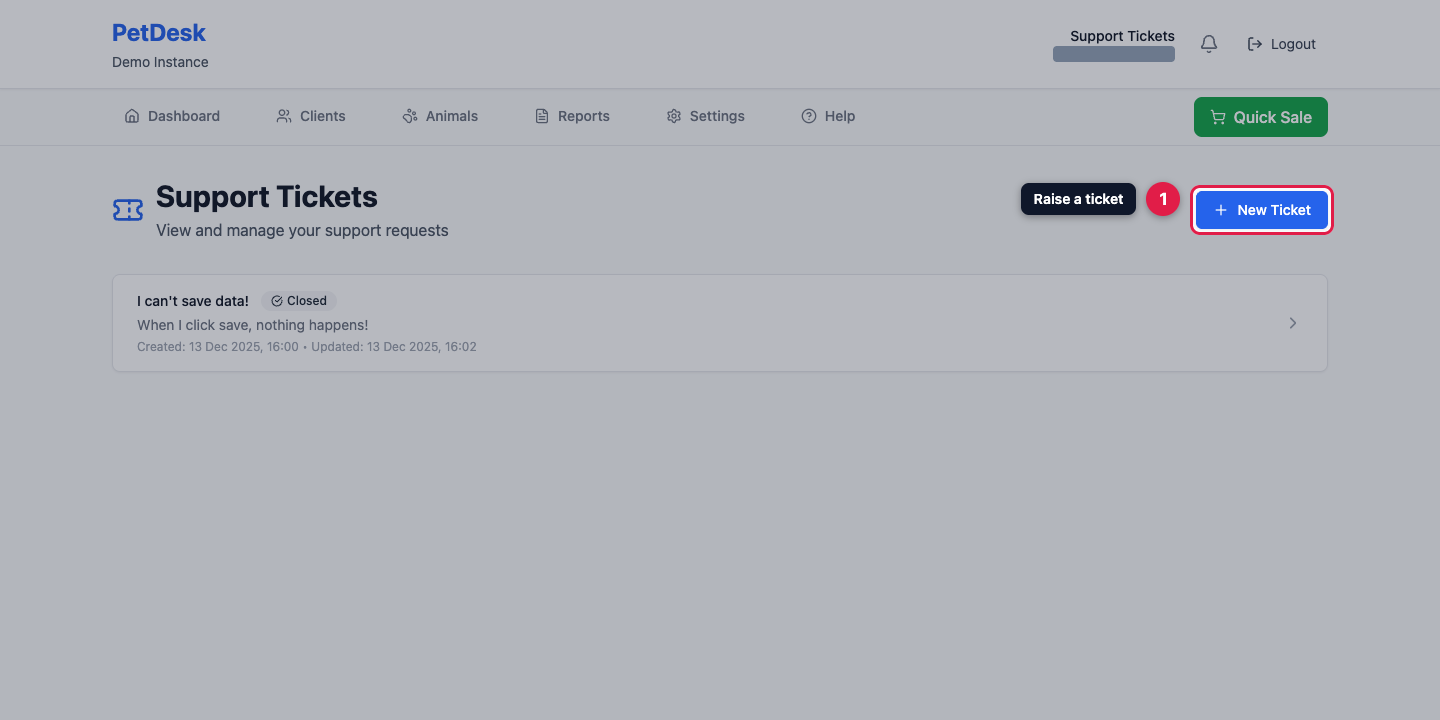
Go to Settings → Support Tickets. You'll see anything you've raised before, open or closed, so you can check whether you've already reported something. Click New Ticket to start a fresh one.
2. Tell us what's happening
Give it a short subject, then describe the problem properly in the box below.
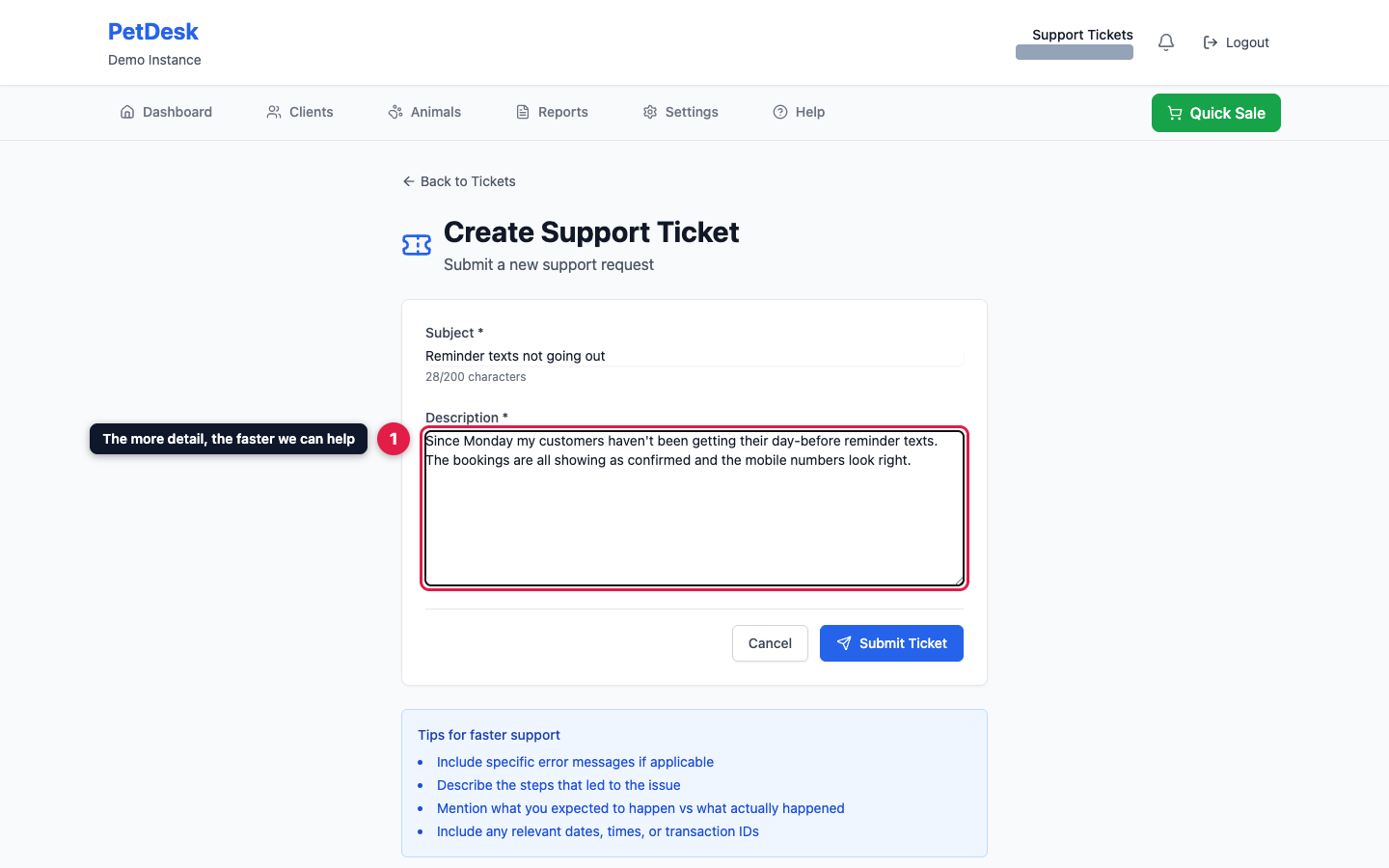
The detail is what gets it fixed quickly. Tell us what you were doing, what you expected, and what happened instead — plus any error message, and a booking or customer reference if it's about a specific record.
3. Submit and track it
Click Submit Ticket. It appears in your list, and you'll see replies against it there as we work through it. There's no need to raise a second ticket for the same thing — adding to the existing one keeps the history together.