
Booking several pets into one visit
One customer bringing two or three animals is a single visit, not separate appointments. Tick the other pets under Other animals on this booking and each one gets its own price and length, with the diary blocking out the whole period as one block. Items, payment, the invoice and completion all happen on the first pet, marked with bill; confirmations and reminders go out once and name every animal. Customers can request a multi-pet visit online too.
When someone brings two or three animals in together, that's one visit, not three separate appointments. PetDesk books them as a single block of time, keeps a price and a length for each animal, sends one text, and produces one invoice at the end. You can set one up yourself, and customers can ask for one online.
1. Adding the other pets
Make the booking as you normally would — pick the customer, one of their animals, and the service. Underneath the service you'll see Other animals on this booking, listing the rest of that customer's pets. Tick whoever else is coming.

Each pet you tick gets its own Minutes and Price, filled in from the service and yours to change. That matters: a husky and a terrier both having “a groom” are not the same job, and this is where you say so. PetDesk gives each animal its own slot, one after the other, so the diary blocks out the whole visit rather than pretending three dogs fit in ninety minutes.
2. One block on the diary
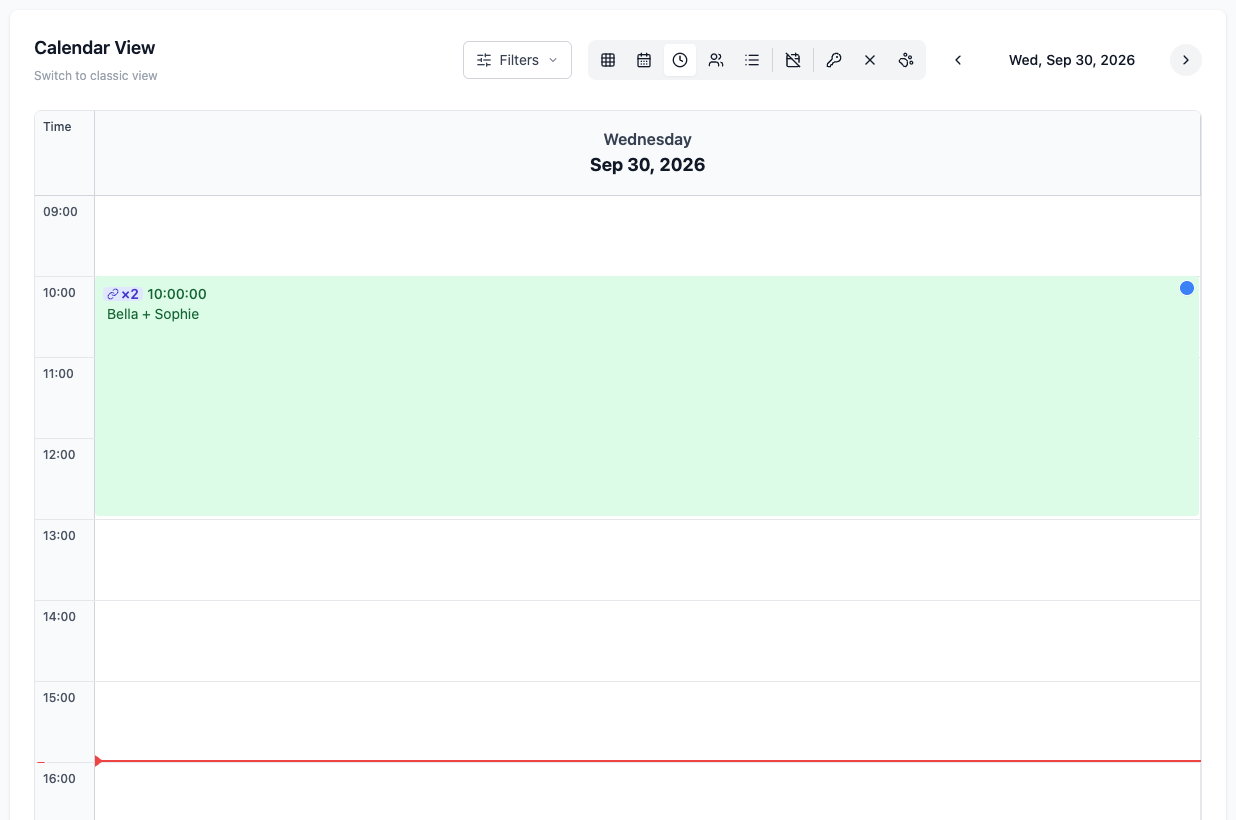
A visit draws as a single block covering the whole period, with every pet's name on it and a small linked badge showing how many animals are on it — ×2, ×3. Clicking it opens the visit.
3. The visit panel
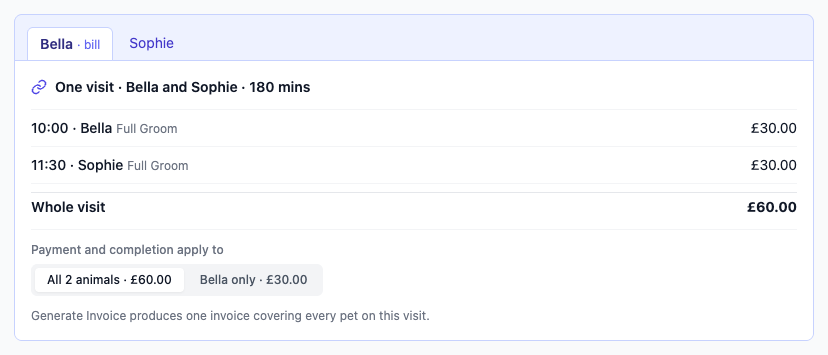
Open any pet on the visit and a panel at the top shows the whole thing: a tab for each animal, the total length, what each one is having and what each one costs, and the total for the visit. The tabs are links, so moving between the pets is one click.
4. The pet marked “bill” holds the money
One animal on the visit is the primary booking — the first one in, marked · bill on its tab. Adding items, taking payment, generating the invoice and completing the visit all happen on that pet's page. It's the one page with the full picture, so the same money can't be taken twice from two different pets.
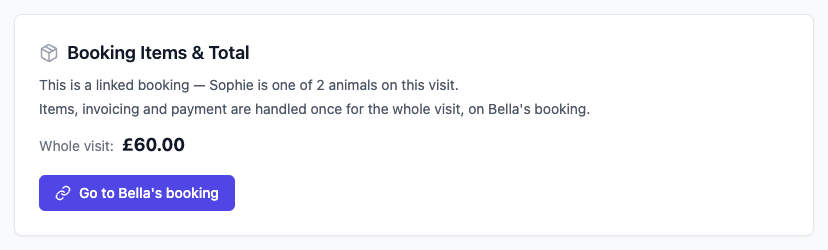
Open one of the others and you'll see this instead, with a button straight back to the pet that holds the bill.
5. Paying for all of them, or just one
On the primary booking, Payment and completion apply to lets you switch between the whole visit and that one animal. The whole visit is the default, because that's what usually happens — one owner, one card, one payment. Switch to the single animal when someone wants to settle for one pet only. Generate Invoice produces one invoice listing every pet on the visit, with a section each and one total at the bottom.
6. One text, not three
Confirmations and reminders go out once for the visit and name all the animals on it — “Bella and Sophie” — rather than sending the customer the same message once per pet.
7. If one pet can't come
Cancelling one animal leaves the others exactly as they are; the visit simply gets shorter. If the cancelled pet was the one holding a paid deposit, the deposit moves to a pet still coming in rather than being stranded on a cancelled booking. You can also move one pet to a different time, and the diary then draws them as separate blocks, since they're no longer one continuous visit.
8. What the customer sees online
Customers can ask for a multi-pet visit themselves. The portal asks which pet the appointment is for and points out that they don't have to choose just one.
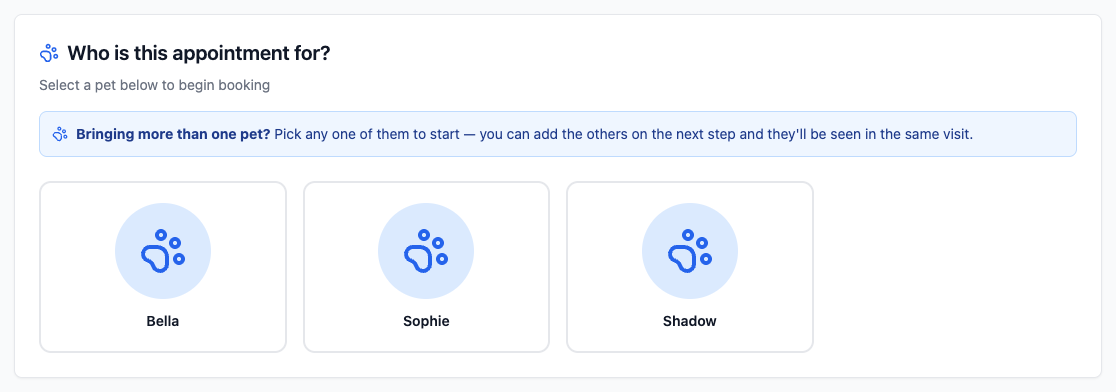
Once they've chosen a service, the rest of their pets appear underneath it to tick on.

Only times long enough to hold every pet are offered, so a customer can't book two grooms into a one-hour gap. The request then arrives as a single entry for you to accept.
9. And afterwards, in their portal
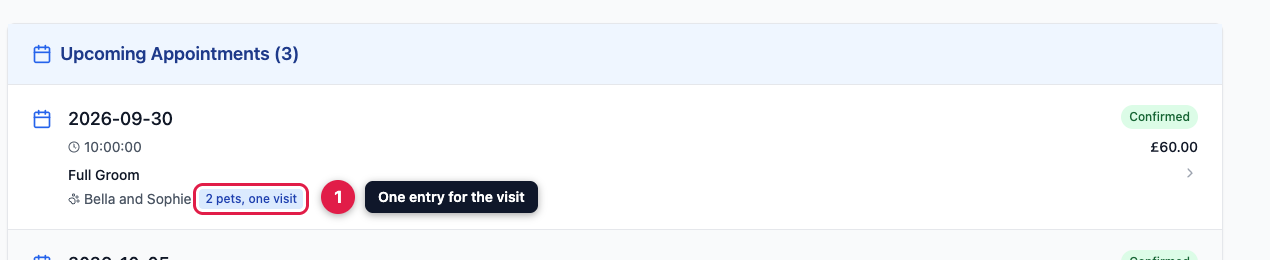
The visit shows as one appointment in the customer's list, naming every pet and giving the total for all of them, rather than looking like several separate bookings they've been charged for separately.
All the pets must belong to the same customer. Two neighbours who always come together are still two bookings — they have separate records, separate invoices and separate consent.