When PetDesk suggests a price
This guide shows you how to:
- Stop retyping the same price and length for the same animal
- Know when a suggestion appears, and why
- Use it or ignore it in one click
1. It appears while you're making the booking
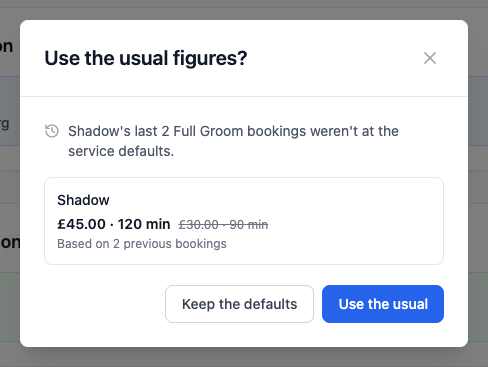
Choose the customer, the animal and the service as usual. If that animal's past bookings for that service weren't at the service's standard price and length, a small window appears straight away and tells you what they usually are.
2. Take it or leave it
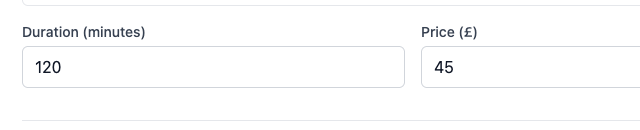
Use the usual fills the duration and price boxes in with the suggested figures, and you carry on booking. Keep the defaults closes the window and leaves the service's standard figures where they are. Nothing is saved either way until you create the booking, and you can still type over whatever it filled in.
3. Where the figures come from
PetDesk looks at that animal's last five bookings for that same service and takes the most common price and the most common length. It's per animal and per service, so a dog that's quick to bathe and slow to groom gets sensible figures for both, and one customer's arrangement never affects another's.
4. When it stays quiet
You won't see it most of the time, which is deliberate. It needs at least two previous bookings for that animal and service — one is an accident, not a habit — and the usual figures have to actually differ from the service's defaults. If the animal is new, or you've never changed anything for it, there is nothing to suggest and nothing appears. Cancelled bookings are ignored.
Booking several pets at once? You get one line per animal, each with its own figures, and Use the usual applies them all in one go.
Customers never see this. Suggestions are for staff making a booking. Someone requesting an appointment online is always quoted the service's standard price, whatever you usually charge them.