
Approving booking requests
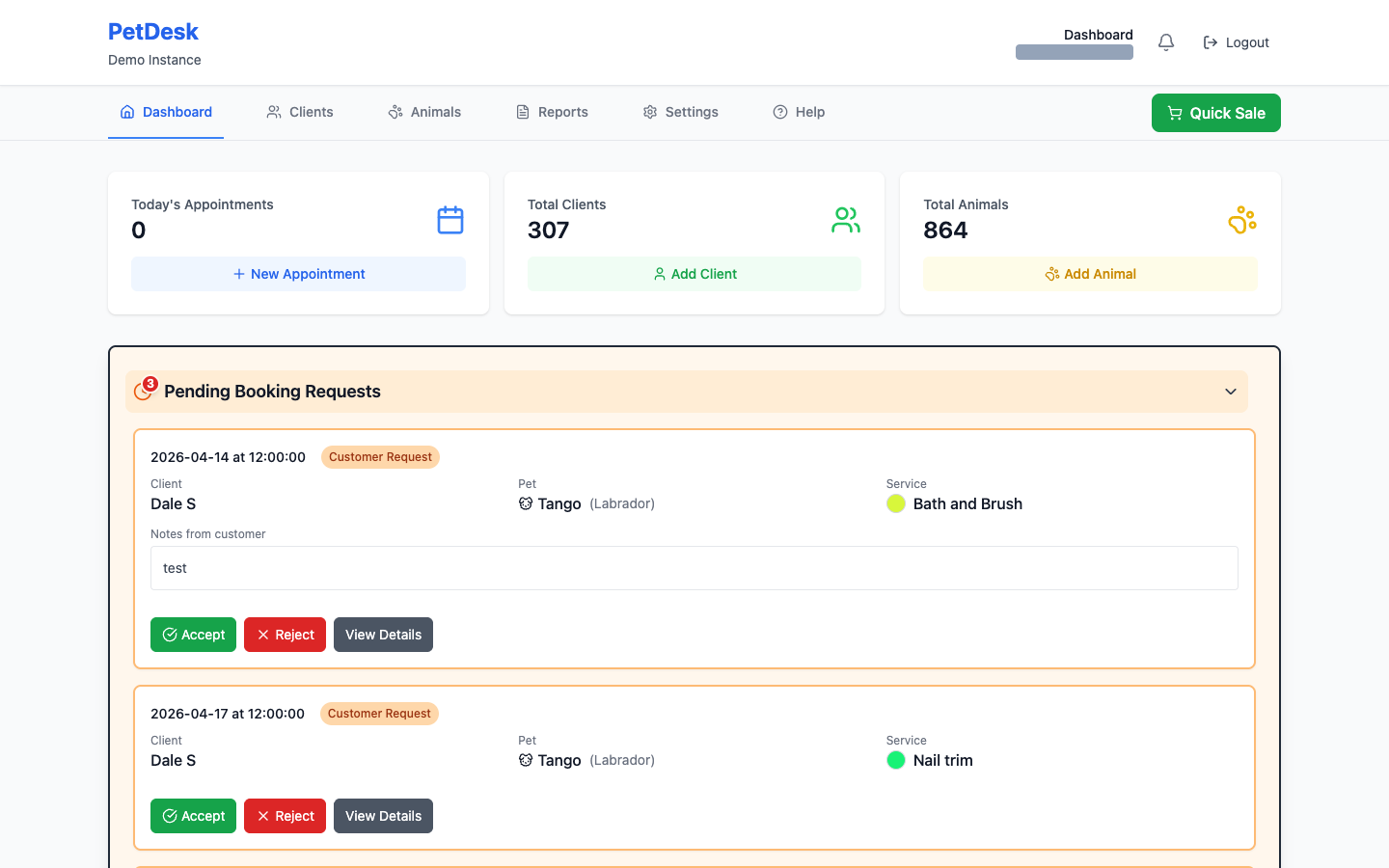
Appointments booked by customers online wait for you to accept them and appear in an orange Pending Booking Requests bar on the dashboard. Each shows the time wanted, the animal, the service and any notes the customer typed. Accept confirms it into your diary; View Details lets you move it to a better time before confirming.
When a customer books through your website or the customer portal, the appointment doesn't go straight into your diary. It waits for you to accept it. Anything waiting appears in an orange Pending Booking Requests bar at the top of your dashboard.
1. Open the requests
The bar shows a count of how many are waiting. Click it and the requests open up underneath.
2. Read what they've asked for
Each request shows the date and time wanted, the customer, which of their animals it's for, and which service. If they typed anything when booking it appears under Notes from customer — worth reading before you accept, because that's where "he's nervous around clippers" ends up.
3. Accept or reject
- Accept confirms it. The appointment becomes a normal booking in your diary and the customer is told.
- Reject declines it. Use it when you genuinely can't do the slot — but consider ringing them first, because a rejection on its own doesn't offer them an alternative.
- View Details opens the full booking, where you can change the time or the service before confirming it.
If the time doesn't suit but you want the customer, open View Details, move it to a time that works, and confirm it from there. Better than rejecting and hoping they try again.
Requests for more than one pet
A customer asking to bring two or three animals in together shows as one request naming all of them, not one per pet. Accept and Reject cover the whole visit, because that's what the customer asked for — they want the pets seen together, and half an answer is no use to them.
If you can only take one of the animals, accept the request and then cancel the pet you can't fit in. That way the customer gets a confirmed appointment for the rest, and you can ring them about the one you've moved.
Keep on top of them
A pending request is a customer waiting to hear from you, and the slot they asked for is not held while it sits there. Clearing the bar first thing each morning is a habit worth forming.
Stopping requests you can't service
If you keep getting requests for tomorrow that you can't staff, set a minimum advance notice under Settings then Customer Portal. Set it to 2 and nobody can request anything sooner than two days out, which fixes the problem at the source rather than one rejection at a time.