
Getting around the diary
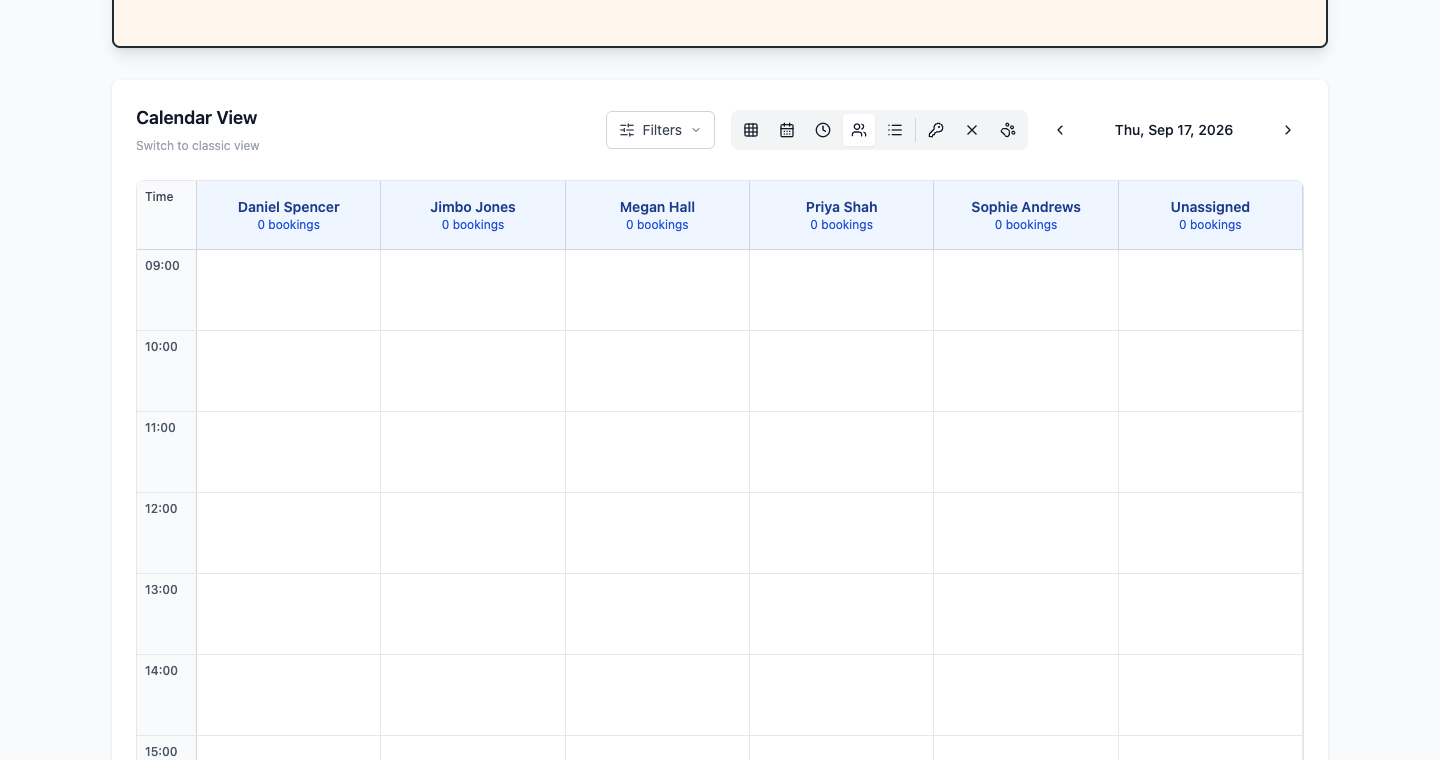
The diary shows the same appointments five ways — Calendar, Week, Day, Staff and List — switched with the row of small buttons above the calendar. Staff view gives each person a column, List view is far easier on a phone. PetDesk remembers the view you last used. Appointment colours come from the staff member they belong to.
The diary is the calendar on your dashboard, and it's where most of the day happens. It shows the same appointments five different ways — the trick is knowing which one suits what you're doing.
Switching views
The row of small buttons above the calendar changes the view. Hover over one and it tells you what it is. In order, left to right: Calendar, Week, Day, Staff and List.

PetDesk remembers which view you were last in, so pick the one that suits you and it'll be there tomorrow.
Which view to use
| View | Best for |
|---|---|
| Calendar | A whole month at a glance. Spotting how busy next week is, or finding a gap a fortnight out. |
| Week | The working week laid out by time. The usual choice for planning. |
| Day | Today, in detail. What most people leave open while they're working. |
| Staff | A column per staff member, side by side. The one to use when you're deciding who takes what. |
| List | A plain list instead of a grid. Easier to scan, and much easier to read on a phone. |
Appointment colours
Each appointment carries a coloured dot — that's the colour assigned to the staff member it belongs to, set when you add them under Staff Management. It's the fastest way to read a shared diary, so give people colours that are genuinely easy to tell apart rather than three shades of blue.
Filtering
The Filters button narrows what you're looking at — useful once you have several staff and the grid starts getting busy. There's also a display options button on the same row for changing how much detail each appointment shows, and staff leave appears in the diary alongside appointments so you can see who's actually available.
Moving around
The arrows either side of the month name step backwards and forwards. Click any appointment to open it, or click New Appointment at the top of the dashboard to add one.
Visits with more than one pet
When one customer brings several animals in together, the diary draws them as a single block covering the whole period, with all their names and a small linked badge showing how many — ×2, ×3. Move one pet to a different time and it splits back into separate blocks, because they're no longer one continuous visit.