
Getting a customer into the customer portal
The customer portal lets owners see their bookings, manage their pets and pay online. Invite a customer from their record and they set their own password — you never need to know it.
The customer portal lets your customers see their appointments, manage their pets and settle payments. There's no single "sign up" step — there are a few ways in, and the right one depends on where the customer is standing.
| Situation | Use this |
|---|---|
| They're with you now, in the salon or surgery | QR code — they scan it and they're in |
| They're not with you, but you have their mobile | Copy the link and send it to them |
| They found your portal themselves | They sign up with their mobile number |
| They're already on your books but have never logged in | Same as above — PetDesk matches them by number |
1. The quickest way — a QR code
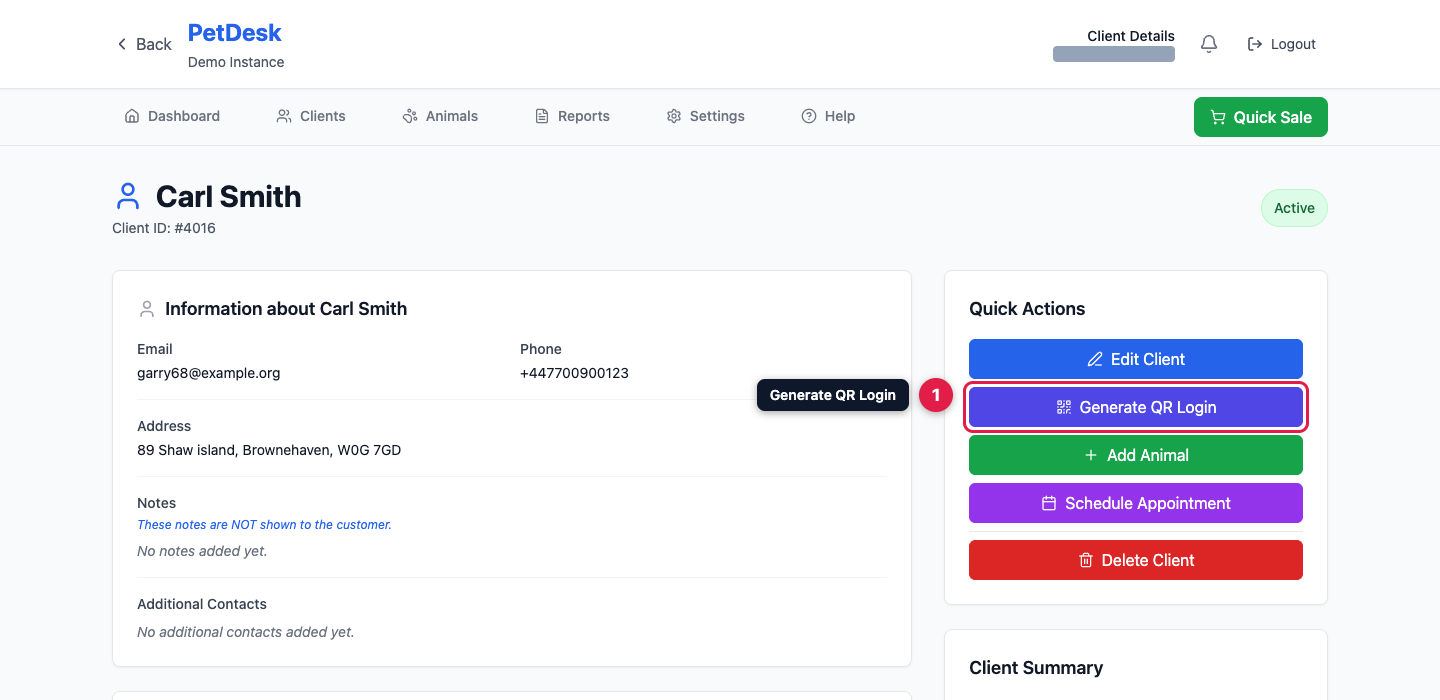
Open the customer's page and click Generate QR Login in Quick Actions.
2. Let them scan it
Turn your screen round and let them scan it with their phone camera. They go straight into the portal without typing anything, and can set a password once they're in. Not with you? Copy URL gives you the same link to text or email them.
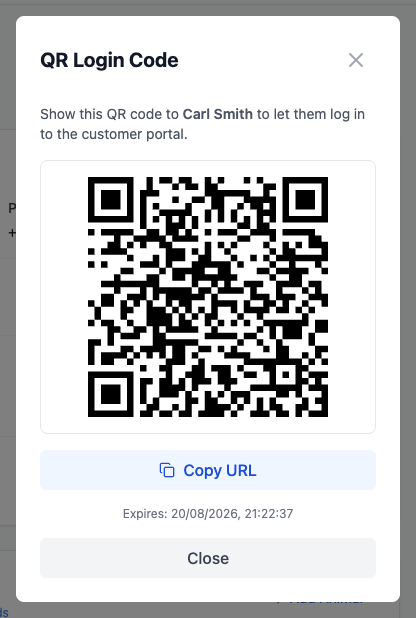
The link works once, and lasts 24 hours. As soon as it's used it stops working, and generating a new code replaces the old one. Treat it like a key — anyone holding that link can get into that customer's account until it's used. If they need to get back in later, they log in normally or you generate a fresh code.
3. Or let them sign themselves in
Your portal lives at your-name.app.petdesk.co.uk. Customers enter their mobile number, receive a code by text, and they're in.
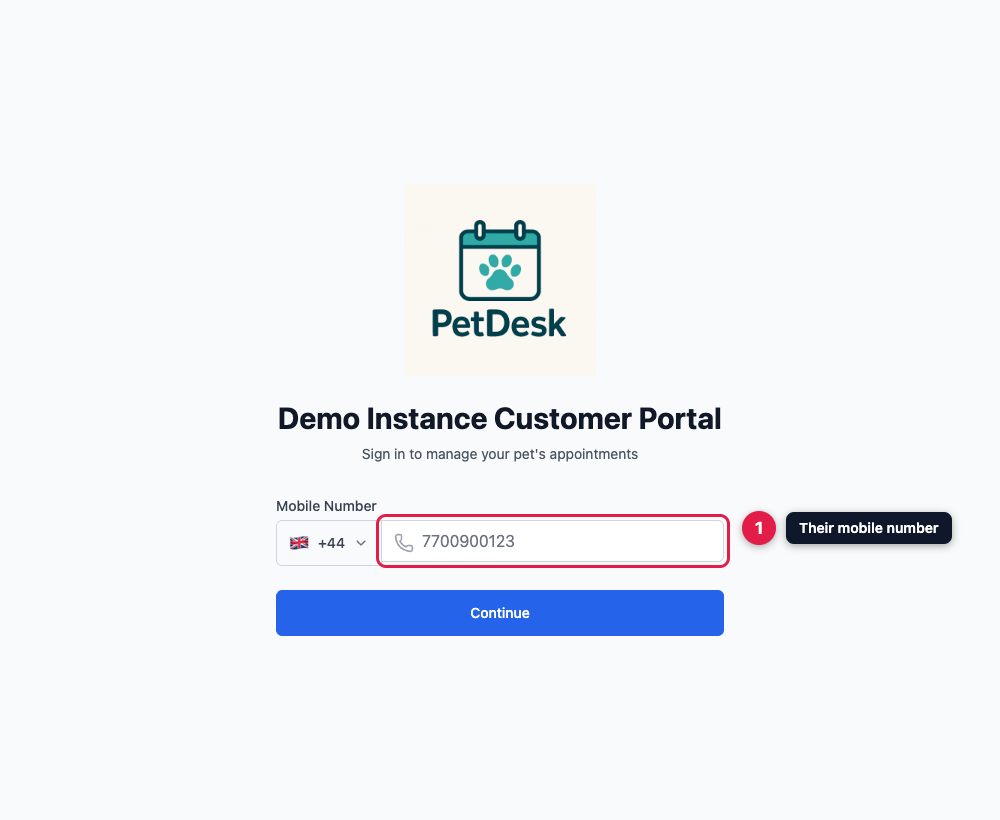
This one screen handles every case. If the number is already on your system, PetDesk recognises them and links them to their existing record — their pets and history are all there. If it isn't, they're walked through creating an account. Either way they set a password at the end, and after that they just log in with their number and password.
A note on mobile numbers
Every route except the QR code depends on a working mobile number, because that's how the code reaches them. If a customer can't get in, check the number on their record first — a landline or an old number is the usual culprit. That's also why the QR code is the reliable option when someone's standing in front of you.