
Gift cards and customer credit
Gift cards are prepaid vouchers anyone can buy and anyone can spend, while customer credit sits on a specific customer record. Both are sold and redeemed from the same payment screens as any other sale.
PetDesk can hold money for a customer to spend later, in two forms. Credit sits on a named customer's account. A gift card belongs to nobody — it's just a code, so it works for someone buying a present. Both are spent the same way: they come off the total, they can be part-spent, and whatever's left stays there until it's used.
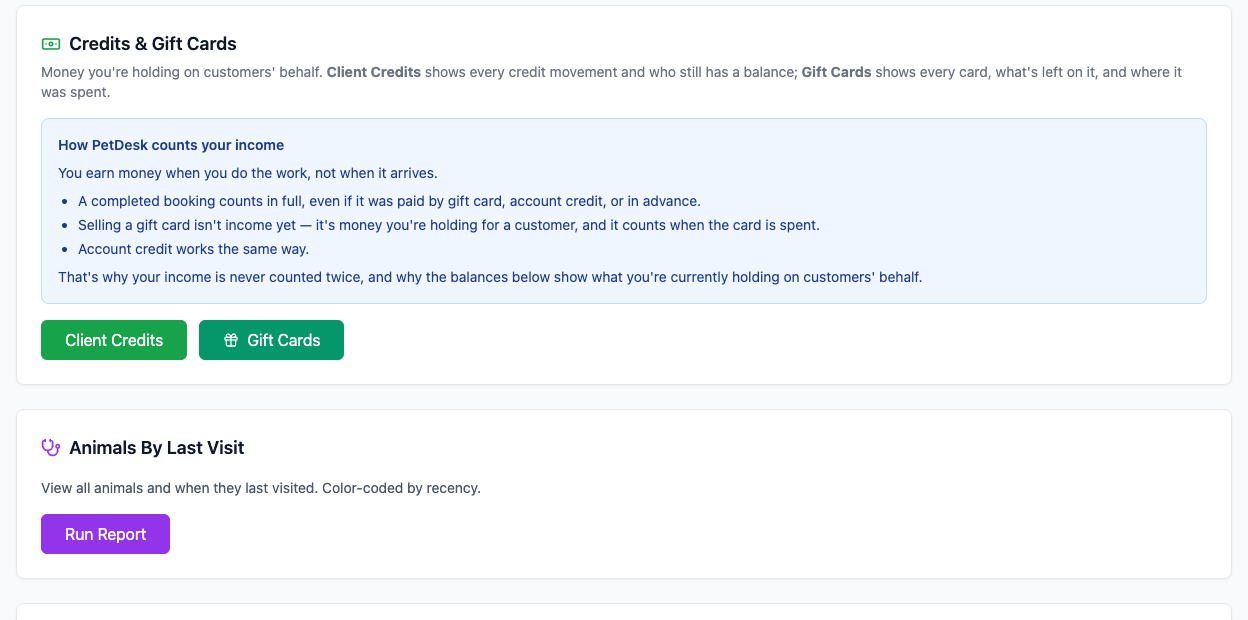
How PetDesk counts your income
You earn money when you do the work, not when it arrives.
- A completed booking counts in full, even if it was paid by gift card, account credit, or in advance.
- Selling a gift card isn't income yet — it's money you're holding for a customer, and it counts when the card is spent.
- Account credit works the same way.
So gift card sales no longer show up in your shop income. Your till figures still show everything that went through them, so cashing up is unaffected.
1. Selling a gift card
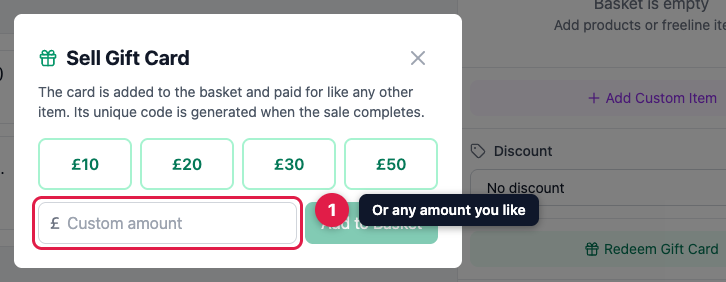
In Quick Sale, click Sell Gift Card at the top. Pick one of the quick amounts or type your own.
2. Take the payment as normal
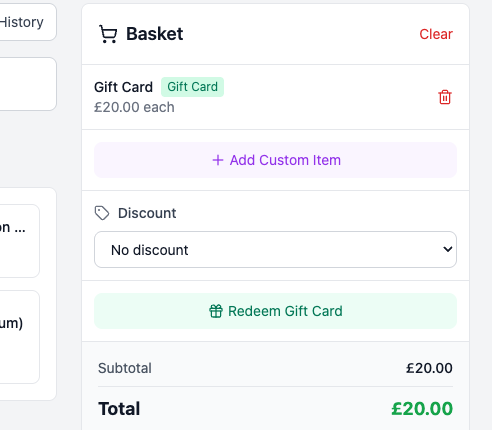
The card drops into the basket like any other item and is paid for however the customer likes — cash, card, bank transfer or a SumUp reader. There's no quantity box: each card needs its own code, so sell them one at a time.
3. Print it or send it
The code appears the moment the sale completes. Print puts it on your own branding, and Copy Link gives you something to text or email. Print Gift Card + Receipt puts both on one sheet rather than wasting two.
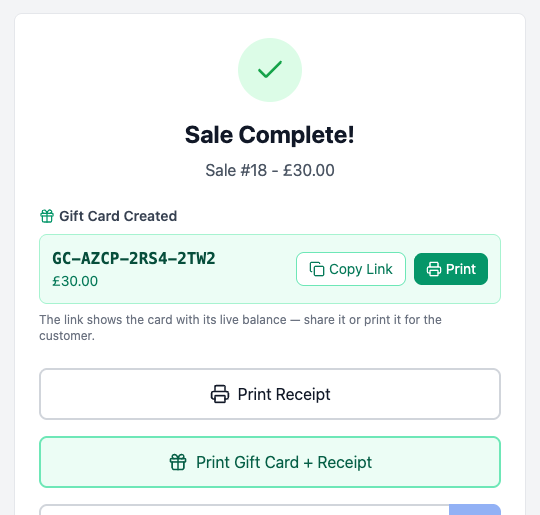
The code is printed on the receipt too, so a “£30 gift card” line can always be traced back to the exact card.
4. What the customer sees
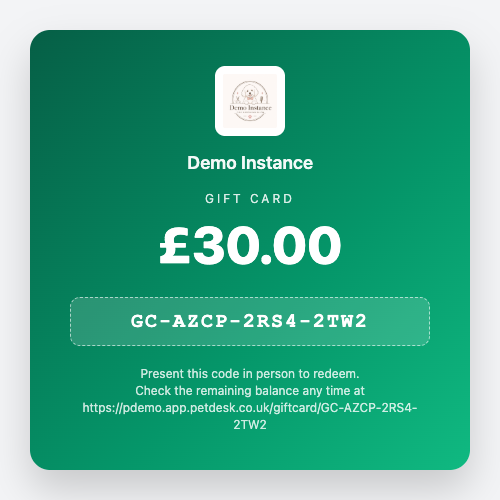
The link shows the card on your branding with its balance, and it stays accurate — whoever holds it can check what's left at any time. Gift cards never expire.
5. Spending it in the shop
In Quick Sale, click Redeem Gift Card and enter the code. It takes off as much as its balance allows, and anything still owing is paid as normal. If the card covers the lot, the payment step becomes a single Complete Sale — Paid by Gift Card button.
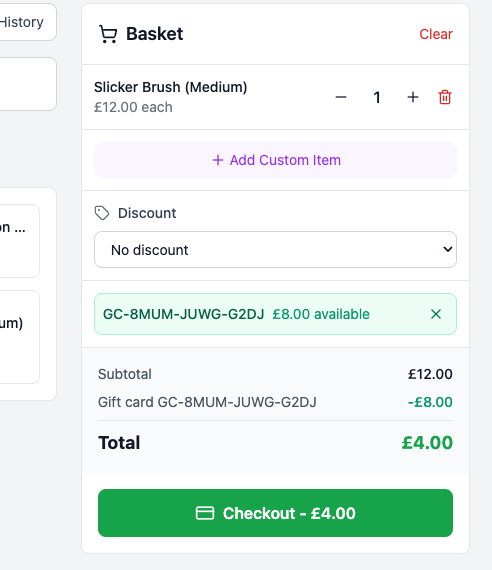
6. Spending it on a booking
Open the booking and look in Booking Items & Total. If the customer has credit you'll see a green banner offering it; if they've turned up with a card, use Redeem Gift Card. Both only appear while there's still something to pay.
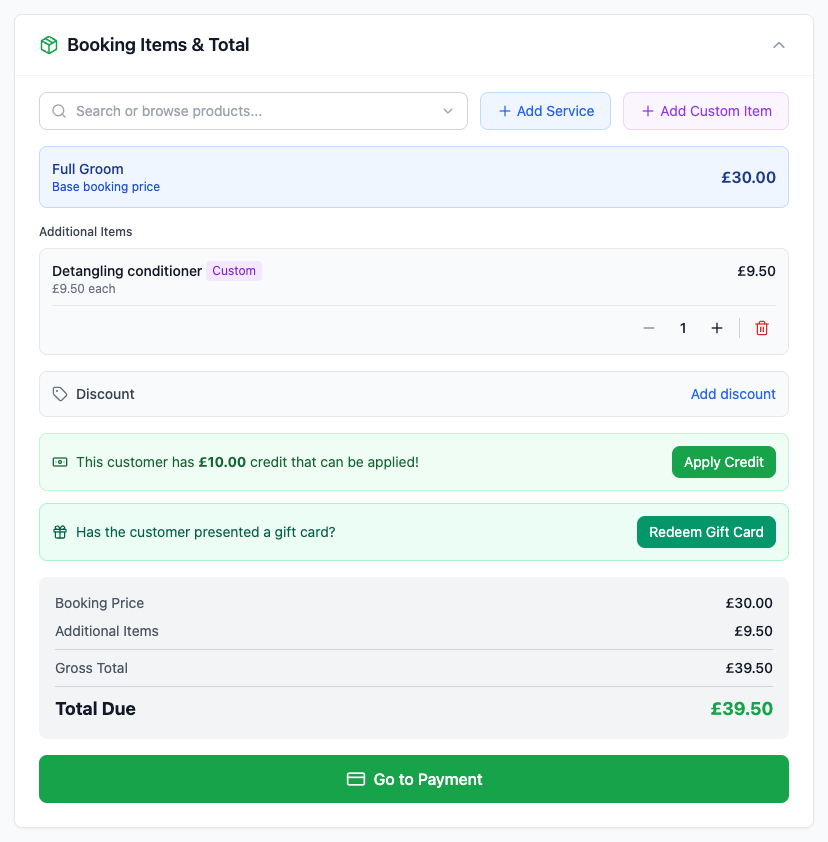
7. How it adds up
Anything applied shows as its own line, and the total breaks down so you can see exactly what's been covered and what's left.
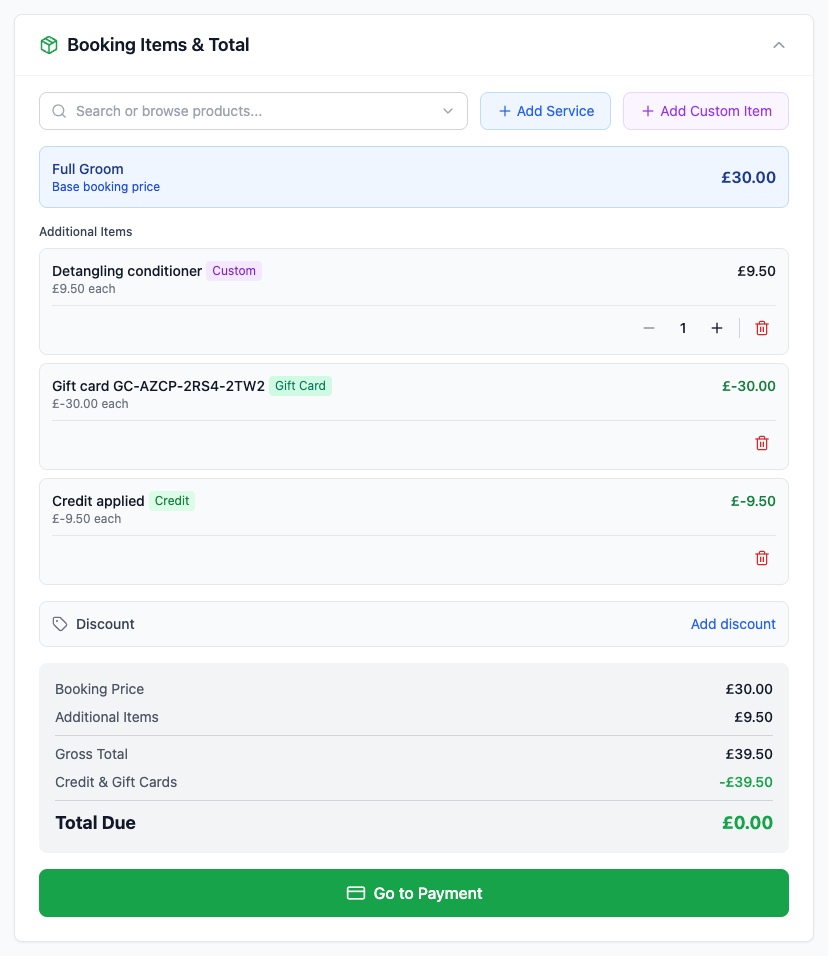
8. Moving what's left onto their account
A customer with a few pounds left on a card is far more likely to spend it if it's sitting on their account. From their page, Redeem Gift Card moves the whole remaining balance across as credit and empties the card.
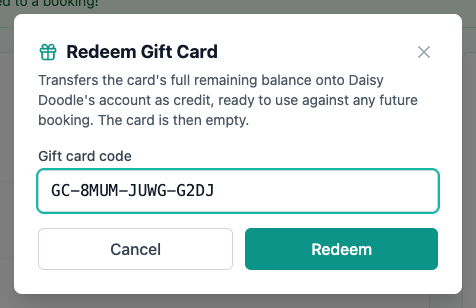

9. Giving credit yourself
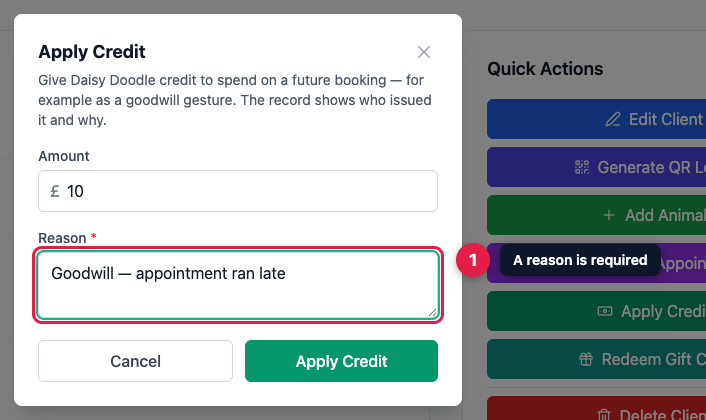
You don't need a card to give someone credit. Apply Credit on their page adds any amount — useful as a goodwill gesture. A reason is required, and it's kept with the record along with who gave it, so there's always an explanation months later.
10. Cancelling a booking that's already paid for
If someone has paid in advance and then cancels, PetDesk asks what should happen to the money before it lets you continue. You can hold it as credit, record that you're refunding them, or forfeit it under your terms.
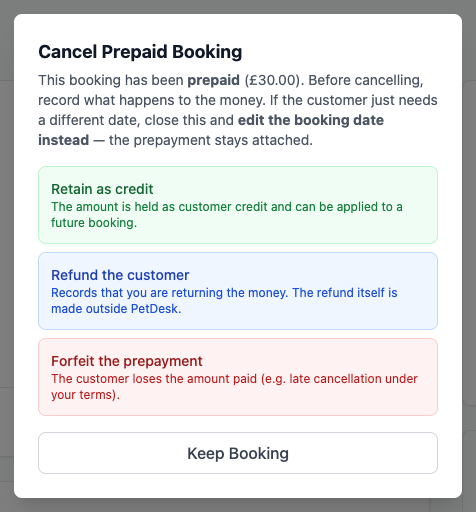
If they only want to move the appointment, don't cancel it. Close this and change the date instead — the payment stays attached and there's nothing to sort out.
11. Keeping track
Under Reports you'll find Credits & Gift Cards. Client Credits shows who's still holding a balance and every movement; Gift Cards shows every card, what's left on it, and where it was spent.
12. Cancelling a card you sold by mistake
Every active card has a Void button in the Gift Cards report. It asks you to confirm, tells you how much is still on the card, and once voided it can't be spent — though its history stays. Use it for a card sold in error, or one you've refunded outside PetDesk.
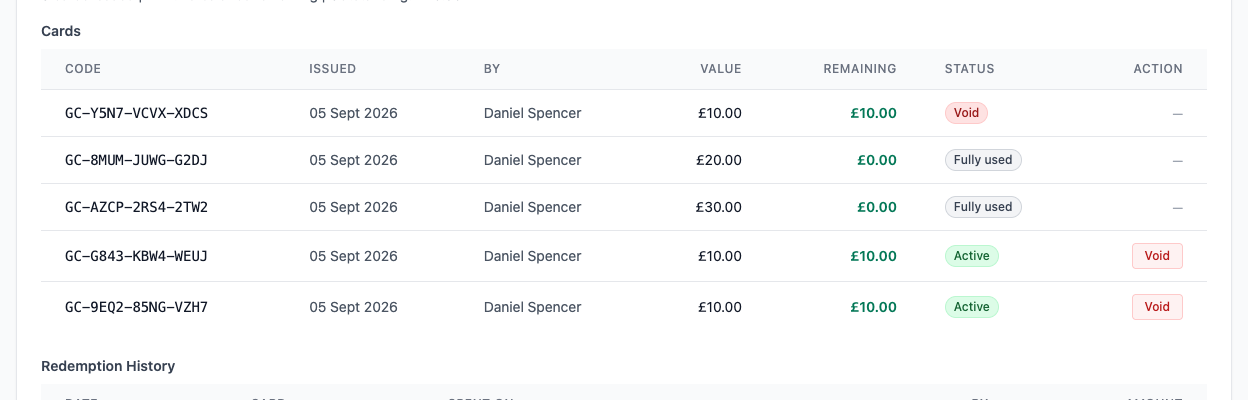
A card shows as Active while it still has value, Fully used once it's all been spent, and Void if you've cancelled it.