
System logs
Settings then System Logs is the audit trail of what was done in your account, by whom and when. Filter by user, by action, by IP address, or by a specific client, animal or booking ID — that last one is the useful one when a record changed and nobody remembers doing it. It records that something happened, not what the old value was.
System Logs is the audit trail: a record of what was done in your account, by whom and when. Go to Settings and choose System Logs. Administrators only.
What a row tells you
Each entry has an ID, a timestamp, the user responsible, the part of the system they used, and the customer, animal or booking involved where there was one.
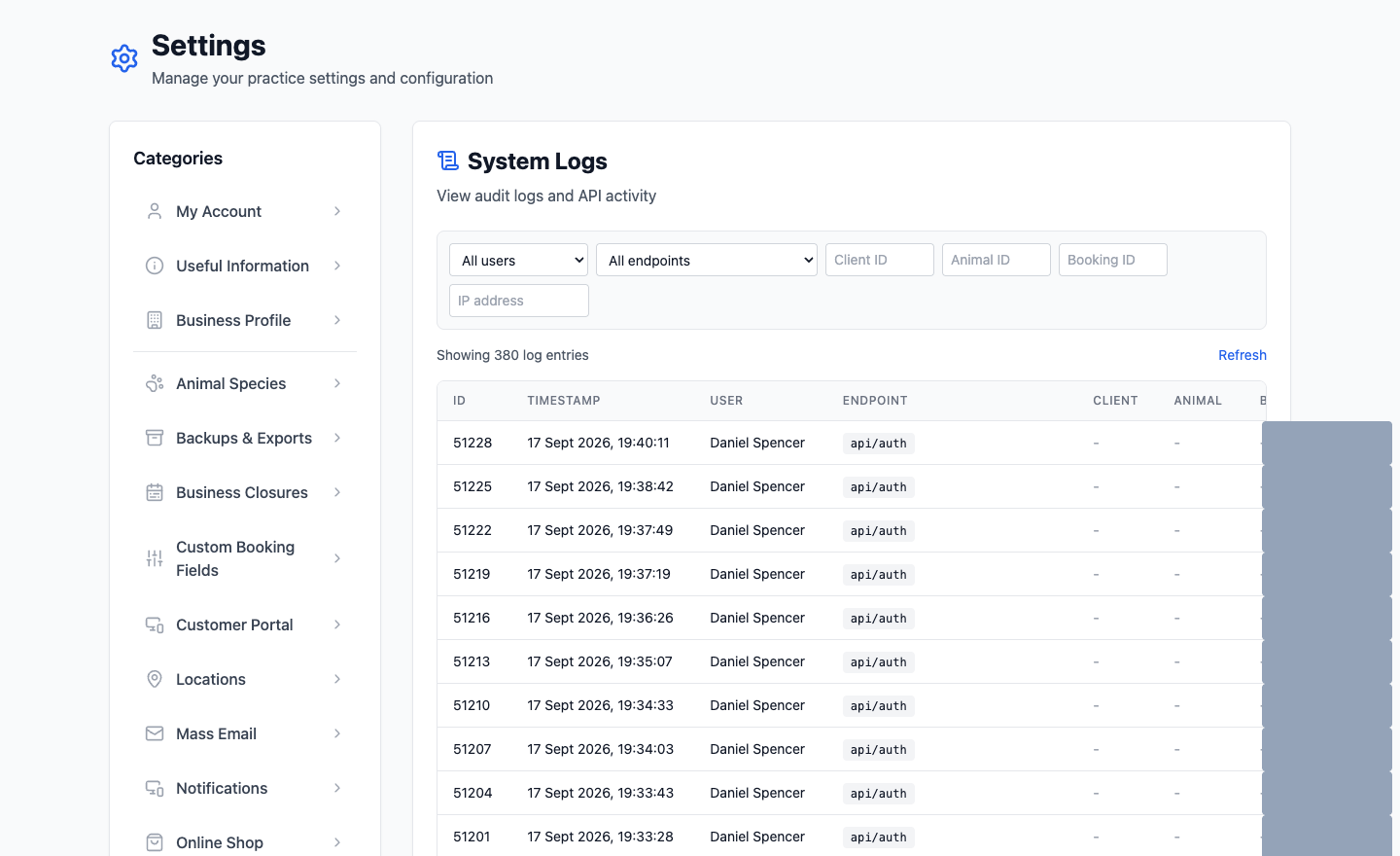
Narrowing it down
The log fills up fast, so the filters are the point of the page. You can narrow by:
- User — everything one member of staff did.
- Endpoint — one kind of action, across everybody.
- Client ID, Animal ID or Booking ID — everything that touched one specific record. This is the useful one.
- IP address — activity from one device or connection.
When you'd actually use it
- A booking changed and nobody remembers doing it. Filter by that booking ID.
- A customer's details are wrong and you want to know when they changed.
- Something looks like it happened twice.
- Confirming an account was or wasn't used at a particular time.
It shows actions, not content
The log records that a record was updated, not the words that were typed. It's for answering who and when, not for recovering what something used to say. If you need the old value, ask quickly — and raise a support ticket rather than hoping.
Use it for answers, not for watching people
This is a record of your staff's activity, so it falls under data protection like anything else about them. Looking something up because a booking went wrong is entirely reasonable. Reading through it to see how busy somebody was is a different thing, and your team would be within their rights to ask why.