
Adding products
Settings then Products holds everything you sell that is not an appointment. A name and price are all you need, but adding cost and a minimum stock level is what makes profit reporting and low stock alerts work. Never delete a product you have already sold — mark it not visible instead so past sales still add up.
Products are the things you sell that aren't appointments — shampoo, chews, brushes, flea treatment. They're used by Quick Sale, by a booking's payment screen, and by your online shop if you run one. Go to Settings and choose Products.
The product list
Each row shows the product, its category, what you charge, what it cost you, how many are left and whether customers can see it. A Low Stock Alert sits at the top whenever something has fallen below the minimum you set for it.
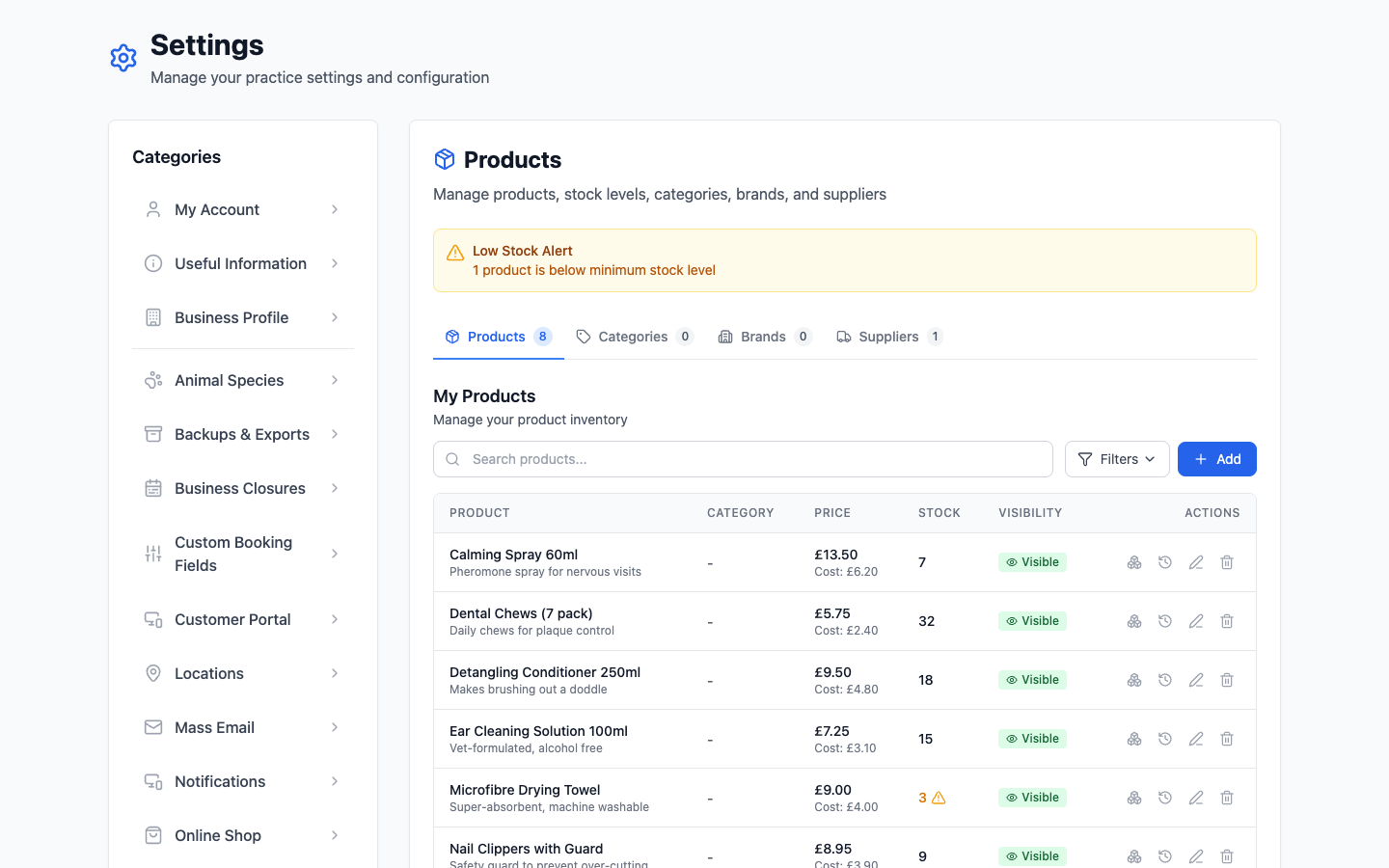
Adding a product
Click Add. The essentials are a name and a price — everything else can wait. Worth filling in anyway:
- Cost — what you paid. Without it your reports can tell you what you sold but not what you made.
- Stock — the count goes down on its own every time you sell one, whether over the counter or online.
- Minimum stock level — what triggers the low stock alert. Set it to however many you'd want left before reordering, not to zero.
- Description — only really matters if you run the online shop, where it's all the customer has to go on.
Visibility
The Visible badge on each row controls whether customers see it in your online shop. Hiding a product doesn't stop you selling it in person — it just takes it off the website. Use it for things you'll sell across the counter but don't want to post.
Categories, brands and suppliers
The three tabs across the top are optional groupings, and you can ignore all of them until the list gets long enough to be annoying.
- Categories group products for your customers — they become the sections in your online shop.
- Brands are for you, when you stock three shampoos and need to tell them apart quickly.
- Suppliers are who you buy from, which is what makes a reorder list possible rather than a memory exercise.
Retiring a product
Don't delete something you've already sold — deleting it takes it out of the history those sales belong to. Mark it not visible and set its stock to zero instead. It stops appearing where it shouldn't, and last year's figures still add up.
Deleting is for a product you added by mistake and never sold. Anything else, hide it.