
Customer portal settings
Settings then Customer Portal controls what customers can do for themselves: change or cancel confirmed appointments, get deposits refunded automatically, how far ahead they must book, and which details they must give when adding a pet. Changing a confirmed booking sends it back to Awaiting Confirmation rather than moving it silently.
The customer portal is the self-service side of PetDesk — where customers see their own bookings, manage their pets and request appointments. What they're allowed to do there is entirely up to you. Go to Settings and choose Customer Portal.
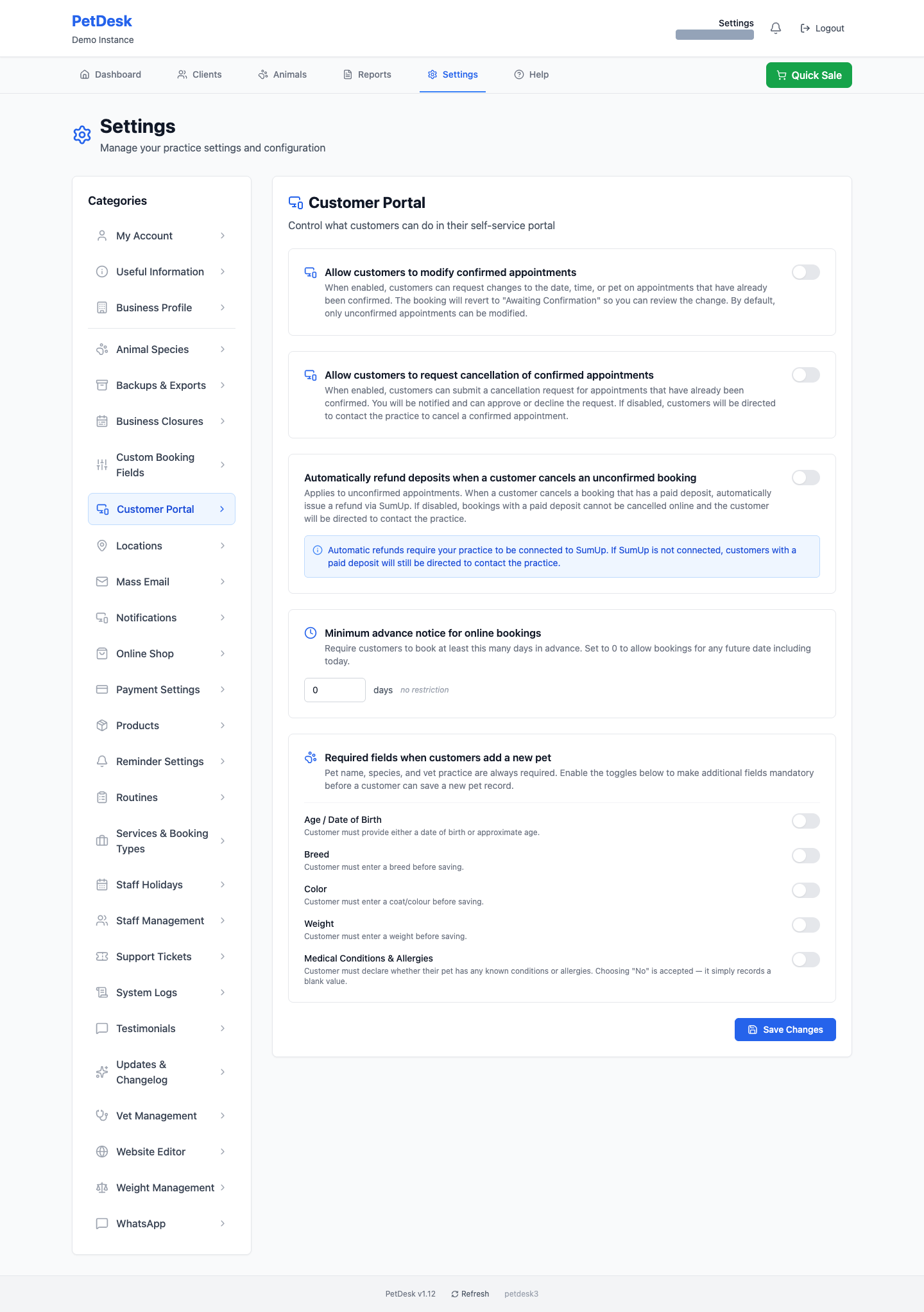
The whole page
Every setting is a switch with an explanation underneath it. Nothing takes effect until you click Save Changes at the bottom.
Letting customers change a confirmed appointment
Off by default, and deliberately so. Leave it off and customers can only change appointments you haven't confirmed yet. Switch it on and they can ask to change the date, time or pet on a confirmed one — the booking drops back to Awaiting Confirmation so it lands in front of you rather than silently moving.
Letting customers request a cancellation
Also off by default. Switched on, a customer can submit a cancellation request for a confirmed appointment and you approve or decline it. Left off, they're told to contact you — which is the right choice if you have a cancellation policy you want to talk people through.
Automatic deposit refunds
This one only applies to appointments you haven't confirmed. If a customer cancels one they've paid a deposit on, PetDesk can refund it automatically through SumUp. With it off, a booking with a paid deposit can't be cancelled online at all — the customer is told to contact you.
Automatic refunds need SumUp connected. Without it the switch does nothing useful, because there's no way to send the money back.
Minimum advance notice
How many days ahead a customer has to book. Set it to 2 and nobody can book for today or tomorrow online. Set it to 0 and there's no restriction at all — they can book any future date including today. This is the setting to reach for if you keep getting same-day online bookings you can't staff.
What customers must fill in for a new pet
Pet name, species and vet practice are always required — you can't turn those off. The switches add more: age or date of birth, breed, colour, weight, and medical conditions and allergies.
Be sparing. Every field you make mandatory is another reason for someone to give up halfway through adding their dog, and you can always fill the gaps yourself when they come in. The one most worth switching on is Medical Conditions & Allergies — answering "no" is accepted, so it costs the customer a click and tells you they were actually asked.
Customers booking several pets at once
Nothing to switch on: if a customer has more than one animal, they can add the others to the same request and the pets are seen one after another in a single visit. Only times long enough to hold all of them are offered, so this can't be used to squeeze three dogs into one slot. The request arrives as a single entry for you to accept.